16
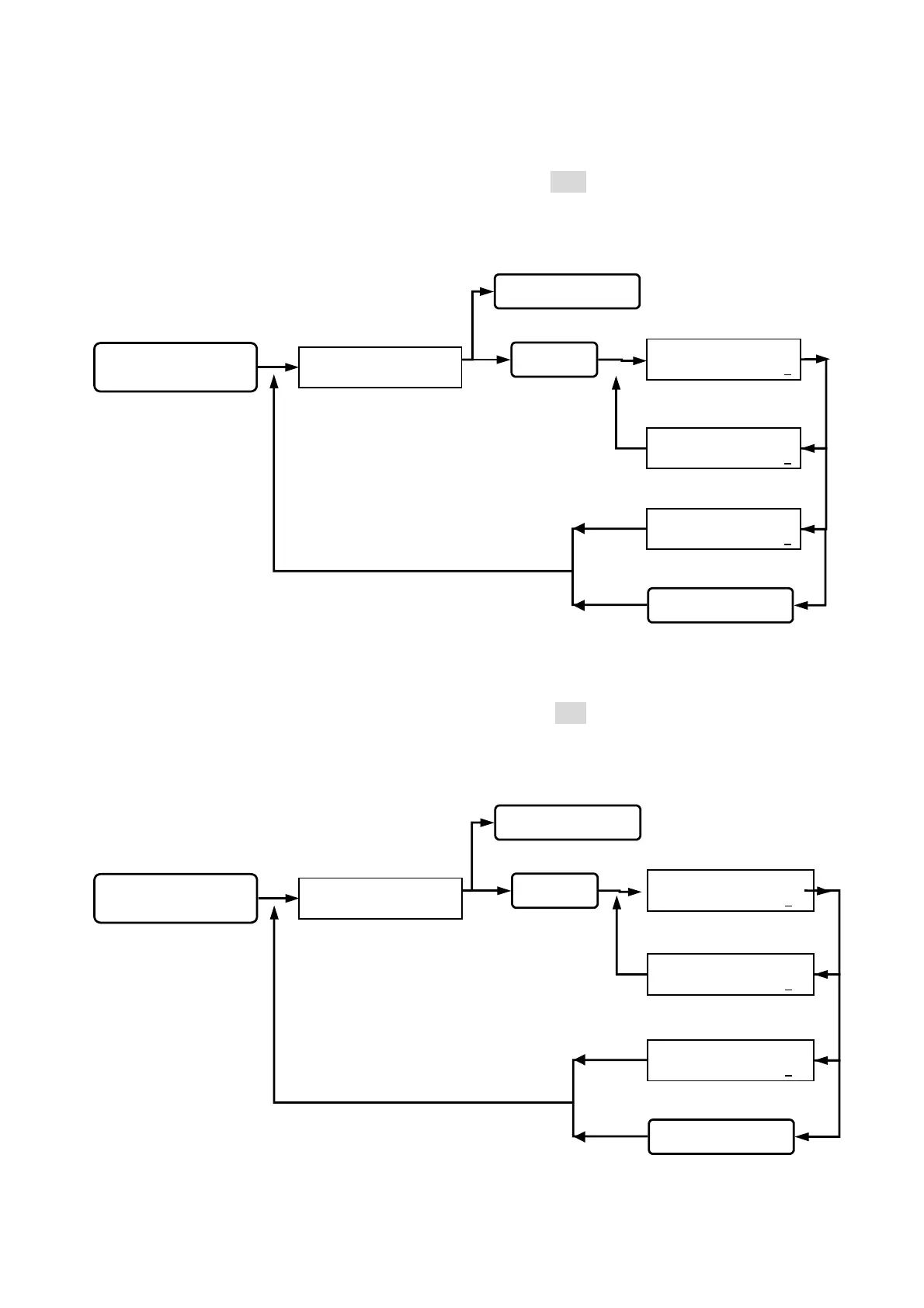
Function (23) Anti-theft sensing mode:
(0) shows “ON”, (1) shows “OFF”. (pre-setting figure is 000). Once set at “OFF”, the
sensing mode will not function at any cases of broken in.
Function (24) Push button door opening sensing mode:
(0) shows “ON”, (1) shows “OFF”. (pre-setting figure is 000). Once set at “OFF”, the
sensing mode will not function if the push button is pressed.
Queuing for anti-
theft mode input.
ANTI-THEFT MODE
( 0 / ON , 1 / OFF ) : 2
ANTI-THEFT MODE
( 0 / ON , 1 / OFF ) : 1
ANIT-THEFT MODE
( 0 / ON , 1 / OFF ) : 0
Key in 23
Key in #or *
Esc system function selection.
Key in the #or *
Go into function 23.
SYSTEM FUNCTIONS
SELECTION : _ _
status light on, display
function selection.
Key in
#system password#
Go into system function setup.
Setting successfully,
beep sound occurred.
Wrong input, beep
sound on continuously.
back to system function selection.
Queuing for push button
switch mode input.
PUSH BUTTON MODE
( 0 / ON , 1 / OFF ) : 2
PUSH BUTTON MODE
( 0 / ON , 1 / OFF ) : 1
PUSH BUTTON MODE
( 0 / ON , 1 / OFF ) : 0
Key in 24
Key in #or *
Esc system function selection.
Key in the #or *
Go into function 24.
SYSTEM FUNCTIONS
SELECTION : _ _
status light on, display
function selection.
Key in
#system password#
Go into system function setup.
Setting successfully,
beep sound occurred.
Wrong input, beep
sound on continuously.
back to system function selection.


 To Next Page
 Loading...