6
SYSTEM FUNCTIONS
SELECTION : _ _
4. Quick setup:
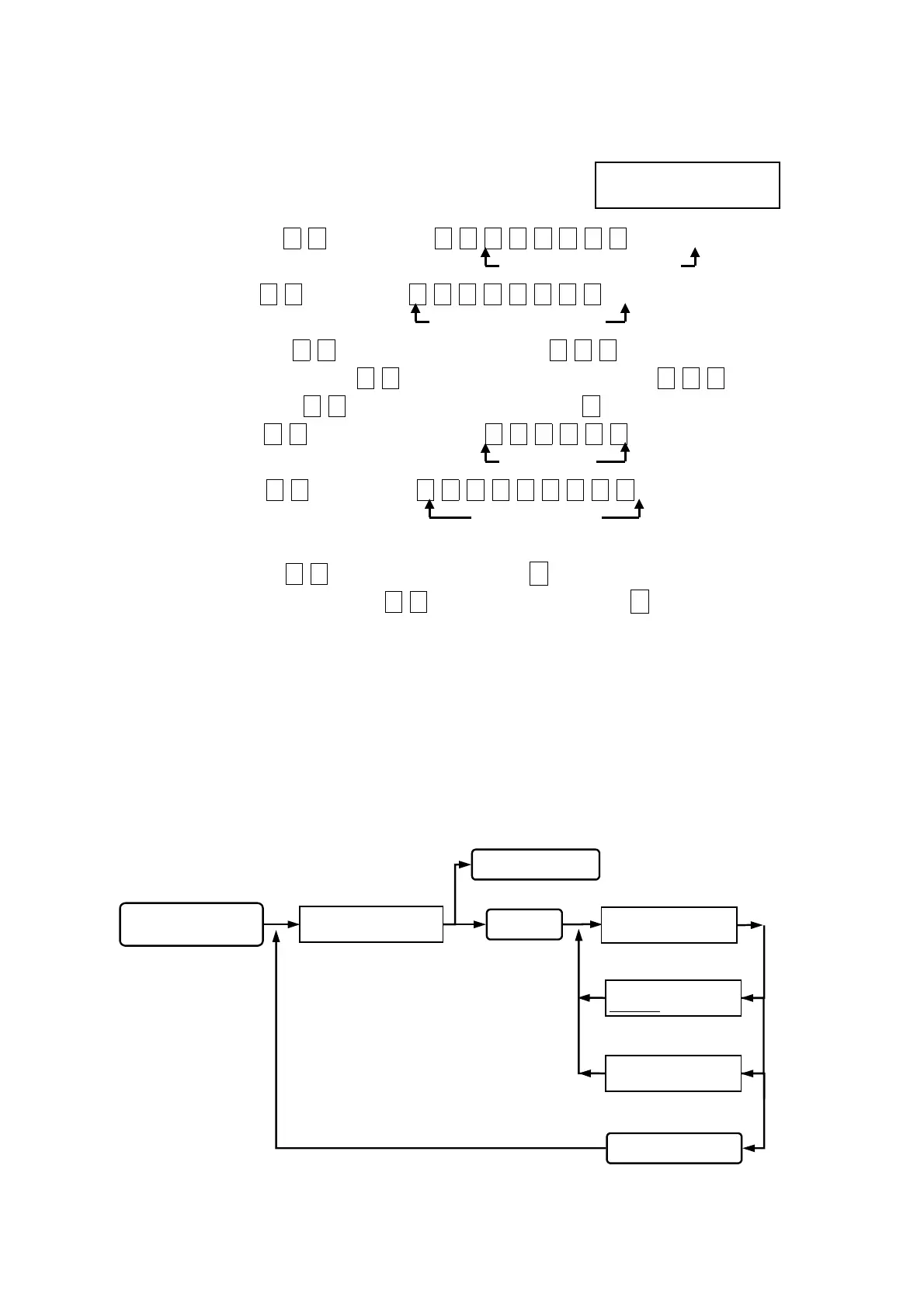
User will get into the setup mode as the right diagram
shown for any setting to be made.
(A) Add new card , key in
0
1
then key in 0 0 0 0 0 0 0 1.
8-digit card number
(B) Delete card, key in 0 2 then key in 0 0 0 0 0 0 0 1.
8-digit card number
(C) Door open time, key in 0 4 then key in the seconds 0 0 3.
(D) Change reader number, key in 1 0 then key in the reader number0 0 2.
(E) Door open mode, key in 0 5 then key in the mode code 2.
(F) Time setting, key in 1 5 then key in the time 1 3 0 0 1 5.
13:00:15
(G) Date setting, key in 1 6 then key in 2 0 0 0 0 1 0 1 6.
2000/01/01 (6)
Note: (1)Sunday (2)Monday (3)Tuesday (4)Wednesday (5)Thursday (6)Friday (7)Saturday
(H) Release alarm, key in 0 7 , confirmed then press
#.
( I ) Release anti-duress alarm, key in 0 9 , confirmed then press
#.
5. SETTING MODES & FUNCTIONS
Function (01) Add new card:
Either key in 8-digit card number or use proximity card to register, both can be accepted but
should be registered prior using.
Queuing 8-digit card number input,
key in manually or by proximity.
Registration successful,
beep sound occurred.
Registration repeated, beep
sound on continuously.
ADD ONE CARD
00000001
ADD ONE CARD
ACCESS DENIAL
ADD ONE CARD
_ _ _ _ _ _ _ _
SYSTEM FUNCTIONS
SELECTION : _ _
Key in 01
status light on, display
function selection.
Key in
#
system password
#
back to system function selection.
Key in
#
or
*
Esc system function selection.
Key in the #or *
Go into function 01.
Go into system function setup.


 To Next Page
 Loading...