8
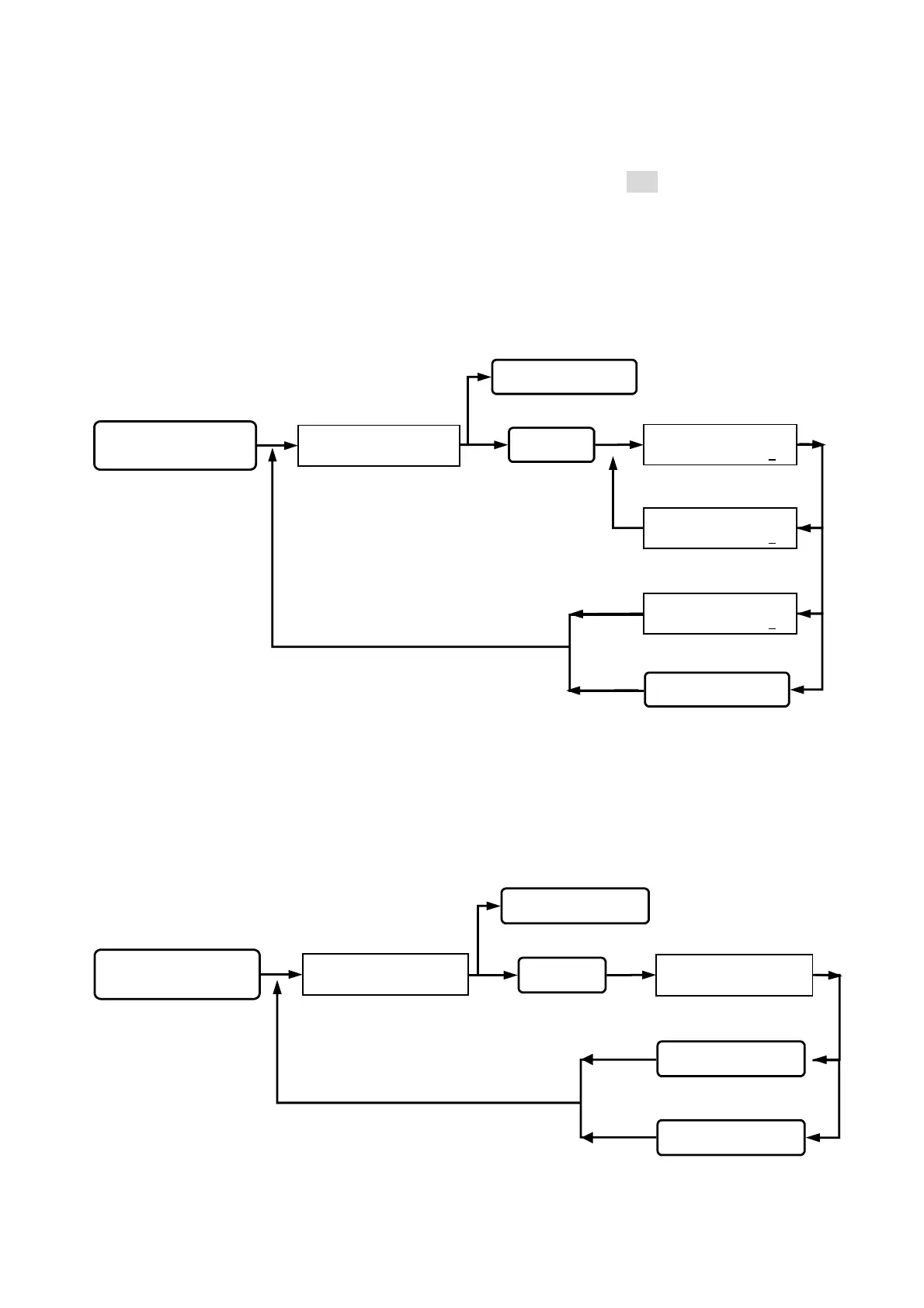
Function (05) Door open mode:
Reader has 2 types of identification modes. (pre-setting figure is 002)
Mode (2). Card proximity door opening: The door will be opened, when the card is sensed.
Mode (3). Door open by proximity card and password: The door will be opened by keying
additional 4-digit password after sensing the registered card.
Function (07) Reset to release alarm:
User sets to release the alarm.
Queuing the identification
mode input.
IDENTIFICATION
MODE ( 2 - 3 ) : 1
IDENTIFICATION
MODE ( 2 - 3 ) : 3
IDENTIFICATION
MODE ( 2 - 3 ) : 2
Key in 05
Key in
#
or
*
Key in the
#
or
*
Go into function 05.
Esc system function selection.
SYSTEM FUNCTIONS
SELECTION : _ _
status light on, display
function selection.
Key in
#
system password
#
Go into system function setup.
Setting successfully,
beep sound occurred.
Wrong input, beep
sound on continuously.
back to system function selection.
Queuing the alarm input
is reset or not.
Setting successfully,
alarm is released.
ALARM RELEASED
YES => “ # “
Key in 07
Key in
#
or
*
Press other keys
Key in the
#
Esc system function selection.
Go into function 07.
SYSTEM FUNCTIONS
SELECTION : _ _
status light on, display
function selection.
Key in
#
system password
#
Go into system function setup.
back to system function selection.


 To Next Page
 Loading...