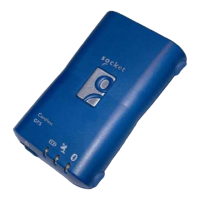
Getting Started
STEP 1: Charge the Battery
1. Before you can use the Bluetooth GPS Receiver, the battery must be
charged. Connect the power charger to the power jack, then plug into an
electrical outlet. As the device is charging, the Battery Status LED will
show a yellow light.
2. When the battery is fully charged, the Battery Status LED will turn off.
Unplug the device and remove the charger.
STEP 2: Turn on Receiver and Wait for GPS Fix
1. Turn on the Bluetooth GPS Receiver via the power switch. The Bluetooth
Status LED will blink blue to show the Bluetooth radio is on.
2. The GPS Status LED will initially show a steady green light to show that
the GPS position has not been fixed yet.
3. After the GPS position is fixed, the GPS Status LED will blink green. Now
you are ready to connect to your Bluetooth-enabled mobile computer and
use your GPS application.
STEP 3: Connect to Bluetooth-Enabled PDA
From your Bluetooth-enabled mobile computer, perform a Bluetooth device
discovery. Refer to the user documentation for your Bluetooth-enabled PDA
for instructions.
STEP 4: Use GPS Application
1. Load your GPS mapping or routing software, along with the corresponding
maps of the areas that you are occupying and plan to travel to.
2. Start the application. Make sure the application is set for the COM port that
your Bluetooth-enabled mobile computer will use for serial communication.
Now you should be ready to use your GPS application as directed by the
user documentation that came with the software. More configurations may
be necessary.



 To Next Page