19
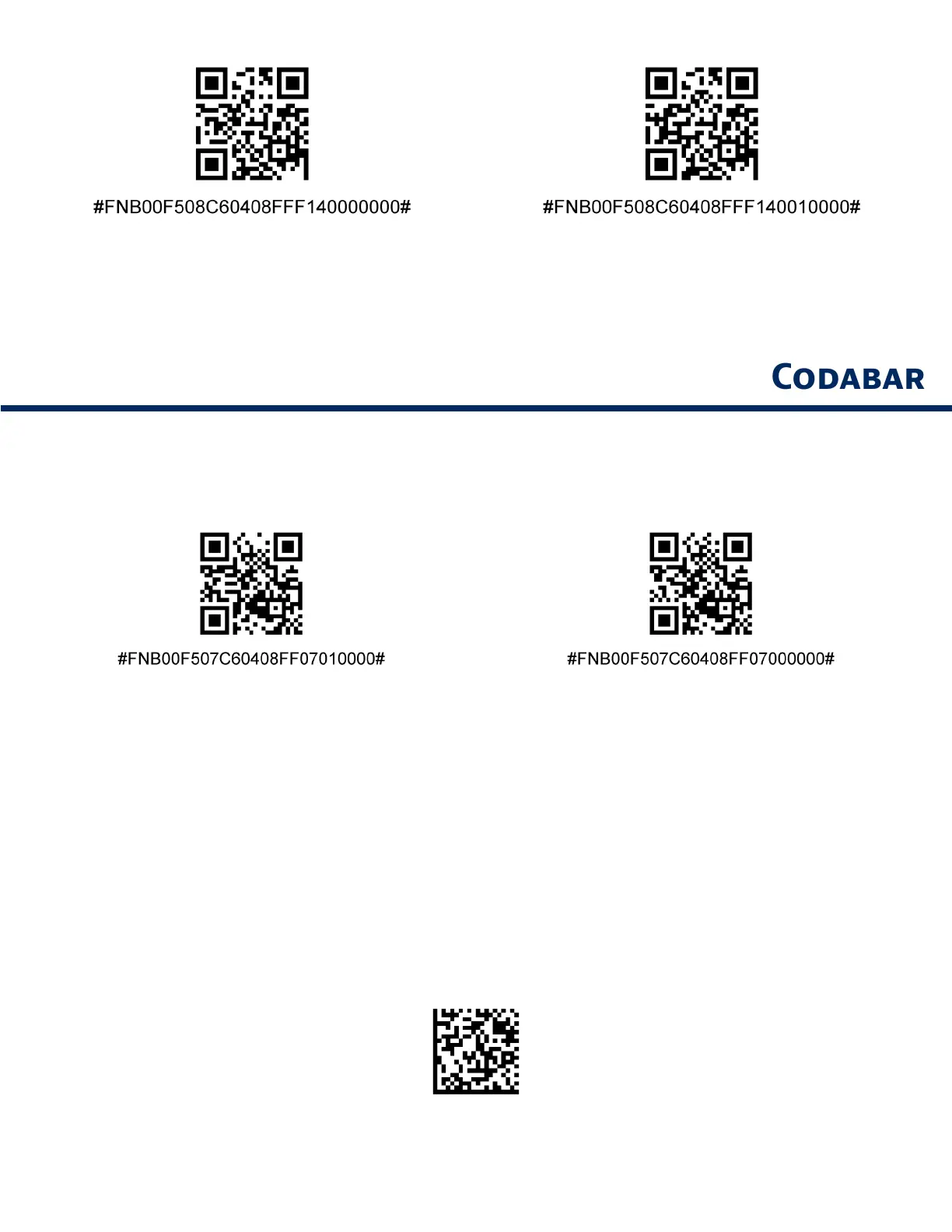
Bookland ISBN-10
Bookland ISBN-13 (default)
Note: If you enable Bookland EAN, select a Bookland ISBN Format. Also select either Decode UPC/EAN
Supplementals, Autodiscriminate UPC/EAN Supplementals, or Enable 978/979 Supplemental Mode in
Decode UPC/EAN Supplementals on page 31-32.
To enble or dsble Codbr, scn the pproprte brcode below
Enble (defult)
Dsble
Set Lenths for Codbr
The lenth of code refers to the number of chrcters (e, humn redble chrcters), ncludn
chec dt(s) the code contns Lenths for Codbr m be set for n lenth, one or two dscrete
lenths, or lenths wthn specfc rne To set lenths, contct support@socetmoblecom
One Dscrete Lenth - Select ths opton to decode onl those codes contnn selected
lenth
Two Dscrete Lenths - Ths opton sets the unt to decode onl those codes contnn two
selected lenths
Lenth Wthn Rne - Select ths opton to decode code wthn specfed rne
Codbr An Lenth
An Lenth - Scn ths opton to decode Codbr smbols contnn n number of
chrcters


 To Next Page