5
5
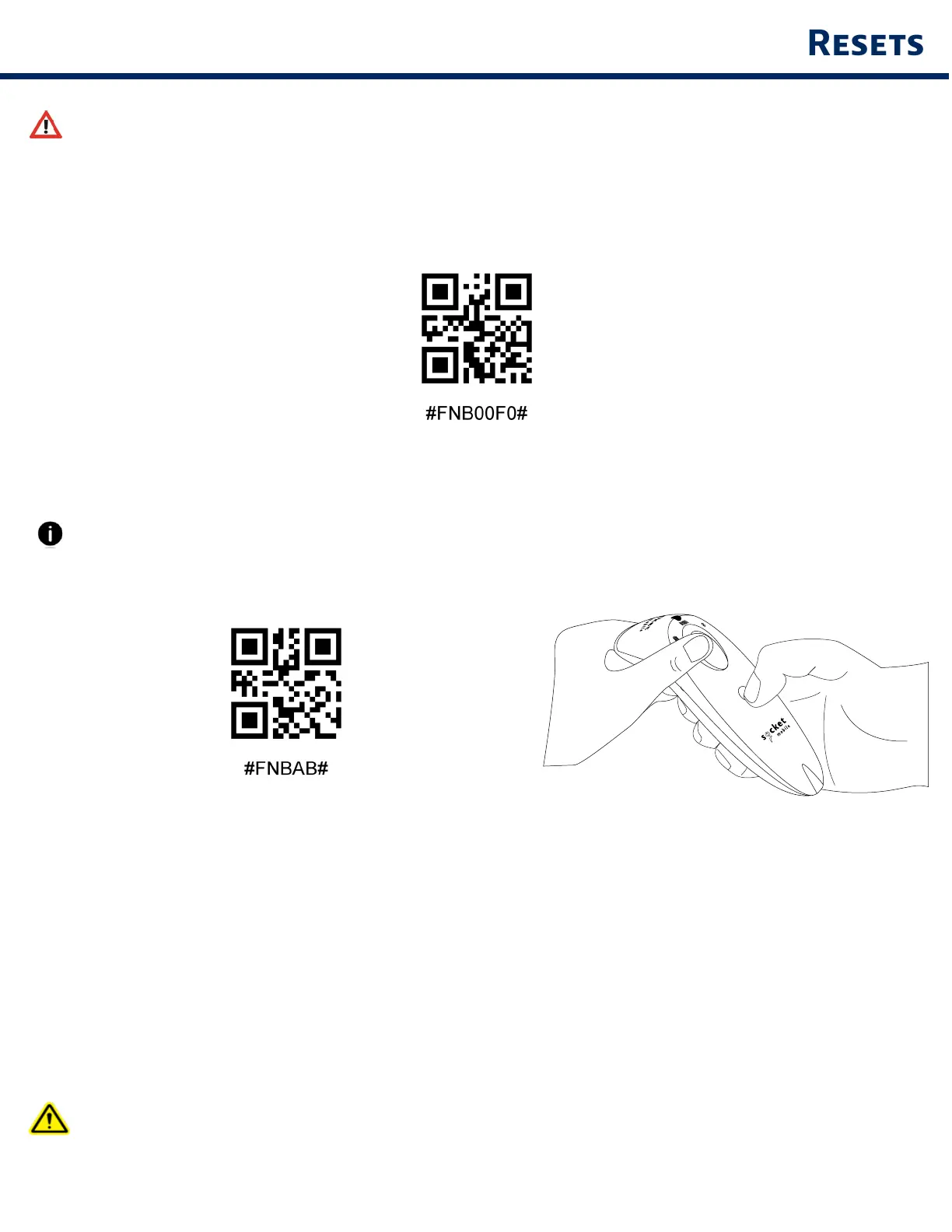
Me sure the scnner s not connected to host computer or devce before scnnn
commnd brcode
Fctor Reset
Confures the scnner to fctor defults The scnner powers off fter scnnn ths brcode
Prn Reset
If the scnner s pred wth devce, unpr t before trn to connect to dfferent devce
Step 1 Scn brcode (for serl number tht bens 1931 nd bove onl)
Or follow steps to mnull reset scnner
A Power on the scnner
B Press nd hold down the scn button
C Press nd hold down the power button
D After ou her 3 beeps, relese both buttons
The scnner wll unpr nd utomtcll power off
Step 2 Remove or foret the scnner from the Bluetooth lst on the host devce
The scnner s now dscoverble
Both steps bove must be done to complete the unprn


 To Next Page