OPERATION GUIDE
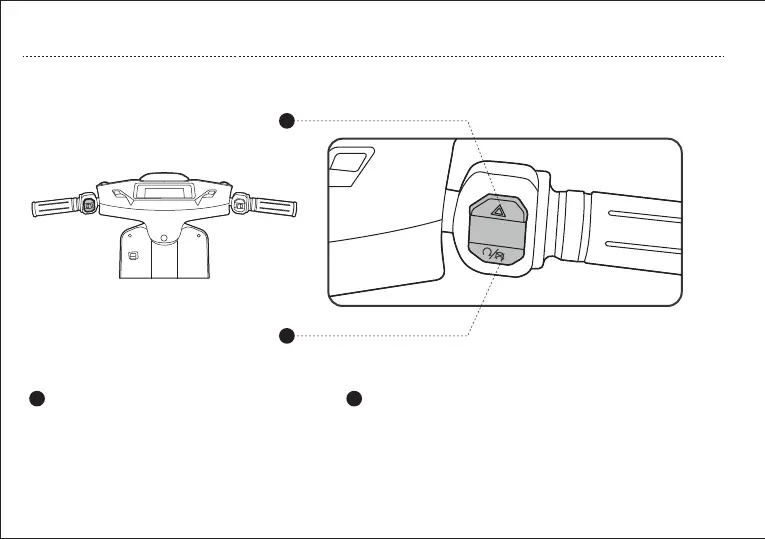
b. Right Handlebar Control Assy
12
1
Warning Button
2
Parking Button
1
2
Press the triangle warning button as shown in
the picture to turn on the emergency flasher.
When the vehicle is unlocked, tap the button to enter the "READY"
state, and gently turn the handle to start the vehicle;When the
vehicle is stationary, tap the button to enter the locked state.



 To Next Page