
 Need help?
Do you have a question about the Soehnle 3800 and is the answer not in the manual?
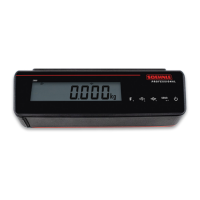
Technical specifications including resolution, weighing ranges, display, and power supply.
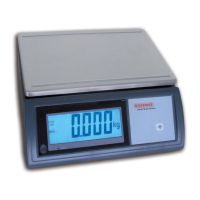
Describes the terminal's suitability for scales, weighing systems, and environmental conditions.
Important instructions for safe operation, installation, and handling, including warnings.
Instructions for cleaning the terminal using appropriate agents and methods.
Details on preventive inspection, authorized repairs, and use of original spare parts.
Information on warranty periods, conditions, and exclusions for defects and damage.
Guidelines for the proper disposal of batteries and accumulators, marked with hazard symbols.
Instructions for recycling the terminal as electrical and electronic equipment.
Details on the CE mark and relevant EU directives applicable to the product.
Explanation of markings on the type plate, including conformity, protection class, and serial number.
Illustrations and labels for IP42 and IP67 terminals, detailing ports and compartments.
Explanation of various symbols displayed on the terminal screen for status and functions.
Description of the function and operation of each button on the terminal.
Guidance on selecting an installation location and ensuring proper environmental conditions.
Information on power sources including mains adapter, batteries, and integrated battery pack.
Step-by-step instructions for replacing batteries in the terminal.
Procedure for charging the built-in battery pack for the first time.
Detailed steps for calibrating the scale using test weights for accuracy.
Procedure for turning the terminal on and its initial state ready for weighing.
How to use the zeroing button to correct small deviations from zero.
Methods for taring, including manual tare input and deleting tare values.
Automatically tares the first weight value placed on the scale after selection.
Adds additional tare weights without changing the net display.
Safe procedures for switching the terminal off, with notes for battery operation.
How to reprogram and assign functions to the freely assignable function button.
How to freeze a weight value for a period of time using the hold function.
Connecting printers, large displays, or PCs via serial interface for data transfer.
Details on the integrated USB interface, connection cables, and required drivers.
How to activate tenfold higher resolution for more precise measurements.
Procedure for converting weight units between kilograms (kg) and pounds (lb).
Basic weighing operations, including weighing with and without tare.
Performing plus-minus weighing by placing and removing reference weights.
Weighing individual components after taring and repeating the process.
Procedure for balance testing and outputting the GLP protocol via print interface.
Calculating Body Mass Index (BMI) by entering body height and weight.


 To Next Page
 General