6
ENGLISH
Weighing
Switch the scale on.
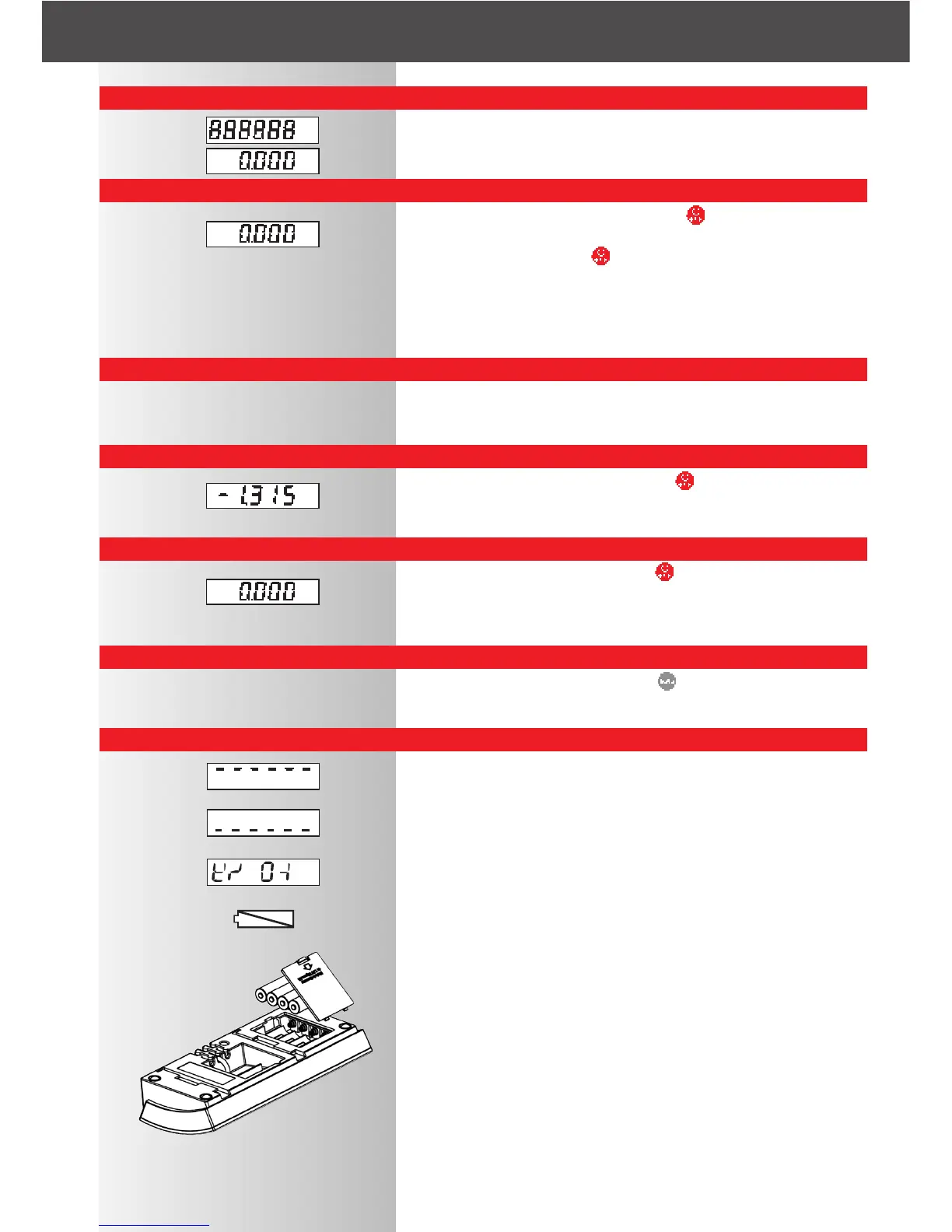
The test display "888888" appears. Then "0" appears.
Scale is ready for weighing.
Tare weighing and add-on weighing
Place the container on the base. Press the key. "0" is displayed.
Place the weighing goods on the scale.
Add-on weighing: Press the key again until "0" is displayed. Add the
additional weighing goods. You can keep doing this up to the maximum
load weight.
After the first tare weighing, an "N" (net) appears in the display for infor-
mation purposes. "N" is only cleared when you switch the scale off.
Check weighing
Place the reference object on the scale. Tare. Remove the reference
object. Place the object under test on the scale and read off the
plus/minus difference on the display.
Total weight display
When objects are on the scale, press the key. "0" is displayed.
Remove the goods for weighing. The total weight appears with a minus
sign.
Switching off
When the display shows "0", press the key. When operating the
scale with batteries or rechargeable batteries, the auto-off function is
active. When the display shows "0", the scale switches off automatically
after 2 minutes.
Changing units
This is possible at any time. Press the key to change units. The last
unit used remains active when you switch the scale off and appears
again the next time you switch the unit on.
Fault messages
Overload: please observe the weight range of the scale (see name-
plate).
Underload: switch the scale on again. If this does not solve the pro-
blem, contact your dealer or service partner.
With an unclear display (see example on left): switch off the power sup-
ply to the scale for 10 seconds by removing the (rechargeable) batteries
and/or pulling out the power plug.
(Rechargeable) batteries empty. Please replace or charge them (4 x
1.5V AA).
Please make sure that you do not try to charge the rechargeable batte-
ries with the power supply unit plugged in. You require a separate
recharging unit. This is available as an accessory.
kg
kg
kg
kg
kg



 To Next Page