copyright by www.soflow.com 9/52
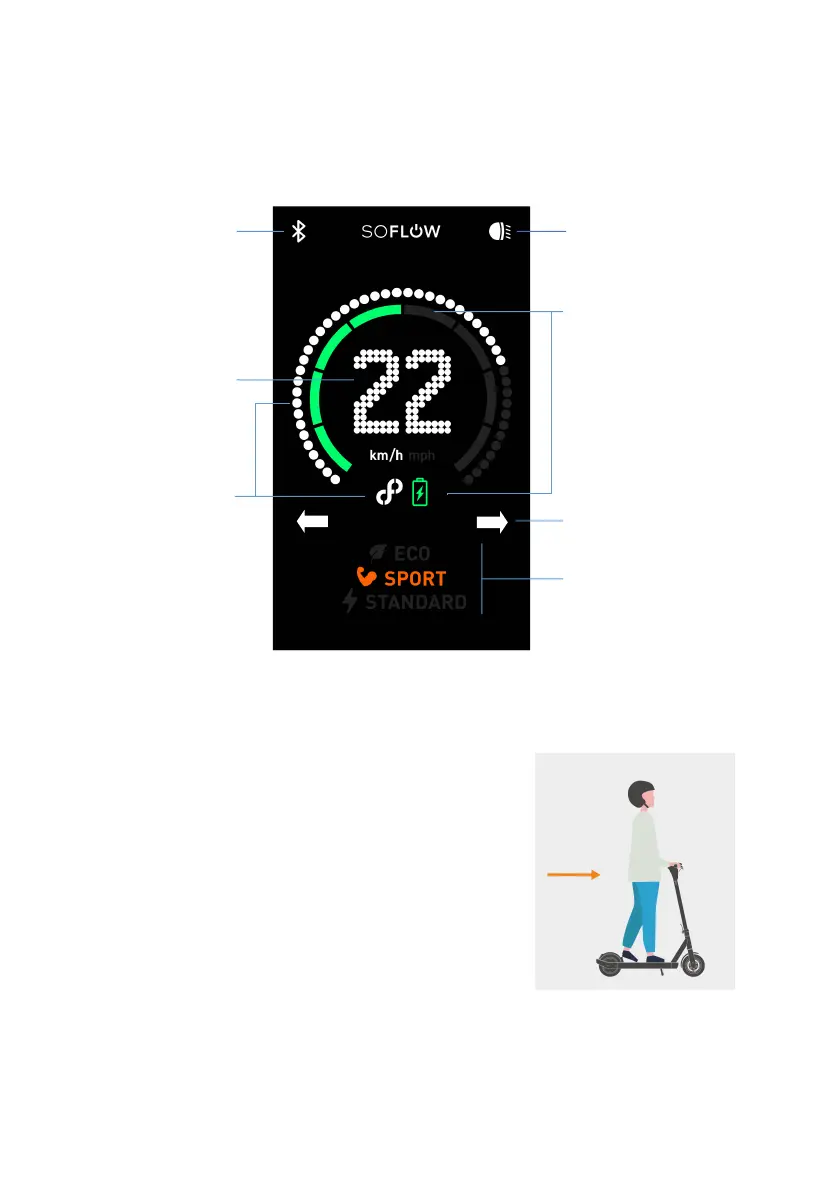
2.3. Display
2.4. Quick tips to get going
1. The controls
Use your right thumb to operate the throttle and your left
hand for the brake and indicators.
2. Select mode
Switch on and double press the power button twice to select
your riding mode on the display.
Press quickly the power button to turn on/off the lights
(Modell SO ONE).
3. Push to start
Simply push off the ground, then press the throttle to activate
the motor.
Drive mode
Eco – Long drive
Sport
Standard – Comfortable
Left / right side turning
light (SO ONE+)


 To Next Page