EasyManua.ls Logo

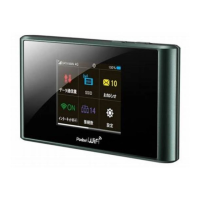
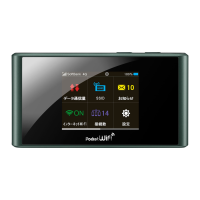
SoftBank 303ZT - User Manual

SoftBank 303ZT
206 pages
Print Icon
To Next Page IconTo Next Page
Loading...
SoftBank 303ZT
User Guide

Other manuals for SoftBank 303ZT

Question and Answer IconNeed help?

Do you have a question about the SoftBank 303ZT and is the answer not in the manual?

Summary

Introduction

Before You Begin

Initial preparation and guidance for using the router.

Guide Usage Notes

Notes on how descriptions are presented in the guide.

Screenshots & Key Labels

Explanation of visual aids used in the guide.

Other Descriptions

Clarification of terminology used in the guide.

Operating Environment (Compatible OSs)

System requirements for using the Wi-Fi router.

Parts & Functions

Getting Started

Home Screen

Explains the main display and its elements.

Notifications Pertaining to Data Usage

How the router notifies about data usage and speed slowdowns.

USIM Card

Information about installing and handling the USIM card.

Battery Installation

Steps for inserting and removing the battery.

Charging Battery

Instructions and precautions for charging the router.

Power On;Off

How to turn the Wi-Fi router on and off.

Connecting with WLAN

Connecting Windows PC

How to connect a Windows PC to the Wi-Fi router.

Connecting Mac

How to connect a Mac computer to the Wi-Fi router.

Connecting iPhone;iPod touch;iPad

Steps to connect Apple mobile devices.

Connecting Android Devices

Steps to connect Android devices to the Wi-Fi router.

Connecting Wi-Fi Compatible Devices

General instructions for connecting other Wi-Fi devices.

Connecting WPS Supported WLAN Devices

How to connect devices using WPS.

Changing Wi-Fi Network Mode to Connect

How to change the Wi-Fi network mode settings.

Connecting with Micro USB Cable (Windows)

Setup for Windows

Procedures for setting up the router connection on Windows.

Connecting with Micro USB Cable (Mac)

Setup for Mac

Procedures for setting up the router connection on Mac.

Settings (Touch Menu)

Setting SSID

How to set the Wi-Fi network name and security key.

Checking Notifications

How to view notifications from SoftBank.

Setting Internet Wi-Fi

How to connect to the internet via Wi-Fi.

Other Settings

Various other settings like screen brightness and sleep timer.

Using WPS

How to connect devices using the WPS feature.

Checking Wi-Fi Router Information

How to view router status and software version.

Checking Support

How to access support information and links.

Settings (WEB UI)

Setting Connected Devices

How to check and restrict connectable devices.

Setting LAN Wi-Fi

How to configure basic LAN Wi-Fi settings.

Setting Mobile Network

How to configure advanced settings for mobile networks.

Device Settings

How to confirm router status and change settings.

Advanced Settings

How to configure advanced router functions like firewall.

Checking Notifications

How to view notifications from SoftBank in the WEB UI.

Showing Device Information

How to view Wi-Fi router status and software version.

Showing Support Information

How to find support URLs for manuals and ZTE.

Setting from Mobile Devices

How to access WEB UI from a smartphone.

Appendix

Specifications

Technical details and specifications of the Wi-Fi router.

Warranty & Service

Information on warranty, service, and repairs.

Customer Service

Contact information for support and assistance.

Safety Precautions

General Notes

Important notes on usage and device handling.

Specific Absorption Rate (SAR) Information for this Product

Information on radio wave exposure limits and compliance.

Summary

Introduction

Before You Begin

Initial preparation and guidance for using the router.

Guide Usage Notes

Notes on how descriptions are presented in the guide.

Screenshots & Key Labels

Explanation of visual aids used in the guide.

Other Descriptions

Clarification of terminology used in the guide.

Operating Environment (Compatible OSs)

System requirements for using the Wi-Fi router.

Parts & Functions

Getting Started

Home Screen

Explains the main display and its elements.

Notifications Pertaining to Data Usage

How the router notifies about data usage and speed slowdowns.

USIM Card

Information about installing and handling the USIM card.

Battery Installation

Steps for inserting and removing the battery.

Charging Battery

Instructions and precautions for charging the router.

Power On;Off

How to turn the Wi-Fi router on and off.

Connecting with WLAN

Connecting Windows PC

How to connect a Windows PC to the Wi-Fi router.

Connecting Mac

How to connect a Mac computer to the Wi-Fi router.

Connecting iPhone;iPod touch;iPad

Steps to connect Apple mobile devices.

Connecting Android Devices

Steps to connect Android devices to the Wi-Fi router.

Connecting Wi-Fi Compatible Devices

General instructions for connecting other Wi-Fi devices.

Connecting WPS Supported WLAN Devices

How to connect devices using WPS.

Changing Wi-Fi Network Mode to Connect

How to change the Wi-Fi network mode settings.

Connecting with Micro USB Cable (Windows)

Setup for Windows

Procedures for setting up the router connection on Windows.

Connecting with Micro USB Cable (Mac)

Setup for Mac

Procedures for setting up the router connection on Mac.

Settings (Touch Menu)

Setting SSID

How to set the Wi-Fi network name and security key.

Checking Notifications

How to view notifications from SoftBank.

Setting Internet Wi-Fi

How to connect to the internet via Wi-Fi.

Other Settings

Various other settings like screen brightness and sleep timer.

Using WPS

How to connect devices using the WPS feature.

Checking Wi-Fi Router Information

How to view router status and software version.

Checking Support

How to access support information and links.

Settings (WEB UI)

Setting Connected Devices

How to check and restrict connectable devices.

Setting LAN Wi-Fi

How to configure basic LAN Wi-Fi settings.

Setting Mobile Network

How to configure advanced settings for mobile networks.

Device Settings

How to confirm router status and change settings.

Advanced Settings

How to configure advanced router functions like firewall.

Checking Notifications

How to view notifications from SoftBank in the WEB UI.

Showing Device Information

How to view Wi-Fi router status and software version.

Showing Support Information

How to find support URLs for manuals and ZTE.

Setting from Mobile Devices

How to access WEB UI from a smartphone.

Appendix

Specifications

Technical details and specifications of the Wi-Fi router.

Warranty & Service

Information on warranty, service, and repairs.

Customer Service

Contact information for support and assistance.

Safety Precautions

General Notes

Important notes on usage and device handling.

Specific Absorption Rate (SAR) Information for this Product

Information on radio wave exposure limits and compliance.

SoftBank 303ZT Specifications

General IconGeneral
Device TypeMobile Wi-Fi Router
Supported CarrierSoftBank
Model Number303ZT
Wireless LAN StandardIEEE 802.11a/b/g/n/ac
Maximum Number of Connected Devices10
SecurityWPA2-PSK
PortsMicro USB
AntennaBuilt-in
Communication StandardLTE
Continuous Communication Time9 hours
DimensionsApprox. 117 (H) x 62 (W) x 13.9 (D) mm

Related product manuals