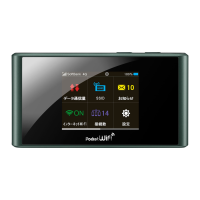
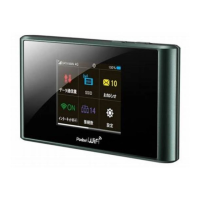
Need help?
Do you have a question about the SoftBank 501HW and is the answer not in the manual?
Identifies and describes the various parts and components of the Wi-Fi router.
Explains the layout and status indicators of the Wi-Fi router's home screen.
Instructions for inserting and removing the battery from the Wi-Fi router.
Explains how to charge the Wi-Fi router's battery and related precautions.
Instructions on how to power the Wi-Fi router on and off.
Overview of WLAN (Wi-Fi) functionality and connection standards.
Guides on connecting a Windows PC to the Wi-Fi router via WLAN.
Instructions for connecting a Mac computer to the Wi-Fi router via WLAN.
Steps to connect an Android™ device to the Wi-Fi router via WLAN.
Guides for connecting iPhone, iPod touch, or iPad to the Wi-Fi router via WLAN.
Overview of connecting the Wi-Fi router to a Windows PC via USB.
Manual installation and uninstallation of the Wi-Fi router driver on Windows.
Overview of connecting the Wi-Fi router to a Mac via USB.
Instructions for driver installation and uninstallation on Mac.
Overview of the touch menu icons and their functions.
Configure Wi-Fi network name (SSID) and security settings.
Select authorization and encryption methods for WLAN connections.
Explains the layout and components of the WEB UI window on a PC.
Guides through initial setup of SSID, authorization, and security key.
Make advanced settings for 4G/LTE/3G networks.
Configure PIN verification for USIM card access.
Steps to verify PIN code via the WEB UI.
Steps to verify PIN code directly on the Wi-Fi router.
Enable and configure Internet Wi-Fi connection.
Configure basic WLAN settings for SSID A.
Save MAC addresses to set WLAN connection permission.
Assign IP addresses to devices within the LAN.
Configure router functions like Firewall and IP address filtering.
Apply rules to allow/block transmissions based on IP and port.
Change the default login password for the WEB UI.
Restore Wi-Fi router settings to their factory defaults.
Configure automatic or manual software updates.
Process for updating the Wi-Fi router's software.
Configure basic WLAN settings for SSID A.
Enables the TV function on the Wi-Fi router.
Instructions for watching TV on an Android™ device.
Instructions for watching TV on the device.
Provides solutions to common problems encountered with the Wi-Fi router.
General guidelines and precautions for using the Wi-Fi router safely.
Precautions and guidelines for handling and disposing of the battery.
Precautions for inserting, removing, and using the USIM card.
 General
| Brand | SoftBank |
|---|---|
| Model | 501HW |
| Category | Wireless Router |
| Language | English |

 To Next Page