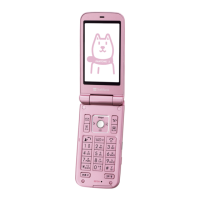
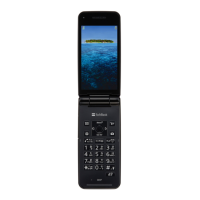
Need help?
Do you have a question about the SoftBank Aquos Keitai and is the answer not in the manual?
Provides information about the user guide itself.
Lists included package items and describes external parts and their functions.
Explains how to open/close the handset and the function of each physical key.
Instructions and precautions for installing, handling, and using the USIM card.
Step-by-step guides for inserting and removing the USIM card from the handset.
Information about the battery, including cautions, recycling, and replacement.
Covers charging the battery via AC adapter, PC, and desktop holder, including cautions.
Describes the standby screen layout and the information window for notifications.
Explains softkey functions and how the display conserves power.
Details the layout and meaning of status and notification indicators.
How to check handset status and open the notifications window.
Operations within the notifications window, such as deleting items.
Explains sub-display usage, information shown, and indicators.
Describes security code types, entry procedures, and incorrect entry handling.
Important warnings and precautions regarding security codes.
Covers setting, changing, and resetting the operation password.
Explains the purpose of USIM PIN and card lock for handset security.
Warnings and potential issues related to entering the PIN.
Covers enabling, disabling, and changing the USIM PIN and lock.
Explains basic operations using handset keys and the Touch Cruiser EX feature.
Overview of functions and services available in the main menu.
Describes different methods for accessing handset functions.
Guides on activating and using Manner Mode and Airplane Mode.
Manages favorite functions and uses key long presses for quick access.
Manages function history and adds frequently used functions to favorites.
Instructions on capturing screenshots and using the magnifier feature.
Covers additional basic operations like preventing peeping and checking phone number.
How to change text size and font style for menus and text entry.
Guides on setting wallpapers, clock types, and calendar display.
Sets ringtones, vibrations, and notification lamps for calls and mail.
Covers text entry basics, character type changes, and conversion operations.
Steps for adding, saving, and dialing contacts from the address book.
Guides on dialing, answering, holding, and managing calls.
Adjusting volume, using speakerphone, muting, and call hold during calls.
Instructions for making international calls to various countries.
Restricts outgoing calls and bars unwanted incoming calls.
Information on Call Forwarding, Voicemail, and Global Roaming Services.
Adjusts settings for quick silent, auto answer, caller ID, and more.
How to change the handset's email address and save it to the profile.
Steps to create, send, and manage S! Mail messages.
Steps to create, send, and manage SMS messages.
How to check, reply to, and manage S! Mail and SMS messages.
Describes the messaging window layout and common mail settings.
How to play music files, manage playlists, and use playback operations.
Steps for playing video files and managing playback.
How to set and manage world clocks, including changing order and deleting.
How to check, open, and manage files within the data folder.
Includes inserting, removing, formatting, and managing SD card storage.
Guides on exchanging files using the infrared port.
Covers enabling, pairing, connecting, and transferring files via Bluetooth.
Information on backup methods and transferring files from SD card or PC.
Customizes standby wallpaper, display brightness, font settings, and sub-display.
Manages ringtones, volumes, vibrations, and notification preferences.
Configures screen lock, passwords, USIM PIN, and other security features.
Optimizes power usage by adjusting energy saving modes and battery settings.
Manages airplane mode, data transmission, network, and VPN settings.
Monitors and restricts cellular data usage per application.
Covers transferring files and resetting the handset to its default state.
Adjusts settings for Kantan Hasshin, app updates, date/time, and language.
Checks for and installs application updates automatically or manually.
View information for installed and running applications.
Configures automatic or manual date, time, timezone, and 24-hour format.
Runs handset diagnostics, reboots in safe mode, and checks version.
Manages handset and SD card memory, including unmounting and erasing.
Important cautions for encrypting and decrypting SD card files.
Allows selection of the handset's display language.
Manages location services and checks device information and status.
Configures S-Shoin, text-to-speech, pointer speed, and input methods.
Adjusts settings for captions, large text, voice output, and other user aids.
Information and procedures for updating handset software.
Comprehensive guide to resolving common handset issues and errors.
Technical specifications of the handset, including battery and dimensions.
Details on product warranty, service procedures, and repair information.
Contact details for customer support, repairs, and general inquiries.
Explains danger, warning, caution labels and prohibited/compulsory action symbols.
Covers safety warnings for handset use, charging, and near electronic devices.
Critical safety information regarding battery use, charging, and disposal.
Safety guidelines for using the Bluetooth® function.
Information on radio wave exposure limits and Specific Absorption Rate (SAR).
Details on handset water/dust resistance and proper care procedures.
Instructions and cautions for drying the handset after water exposure.
 General
| 2G bands | GSM 900 / 1800 / 1900 |
|---|---|
| Memory Card slot | microSD |
| WLAN | Wi-Fi 802.11 b/g |
| GPS | Yes |
| USB | microUSB v2.0 |
| Resolution | 480 x 854 pixels |
| Rear Camera | 8MP |


 To Next Page