EasyManua.ls Logo

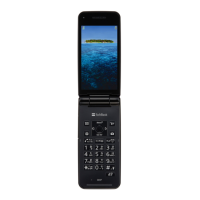
SoftBank 001SH - User Manual

SoftBank 001SH
343 pages
Print Icon
To Next Page IconTo Next Page
Loading...
Introduction
Thank you for purchasing SoftBank 001SH.
.For proper handset use, read "Quick Tips" (in the box) and this guide beforehand.
.Accessible SoftBank Mobile services may vary by service area, subscription, etc.
SoftBank 001SH is compatible with 3G network technology; supports international
roaming where 3G network coverage is available (3G areas).
For details, contact SoftBank Mobile Customer Center, General Information (P.15-39).
Notes
.Copying this guide in whole or part without authorization is prohibited.
.Guide content is subject to change without prior notice.
.Efforts have been made to ensure the accuracy and clarity of this guide. Please contact
SoftBank Mobile Customer Center, General Information (P.15-39) about unclear or
missing information.

Table of Contents

Questions and Answers

Summary

Safety Precautions

Getting Started

Charging Battery

Instructions for charging the handset's battery using AC or car charger.

Power On;Off

Steps to turn the handset on and off, including network information retrieval.

Security Codes

Information on setting and managing Handset Code, Administrator Code, and Network Password.

Calling

Emergency Calls

How to make emergency calls and important notes regarding location reporting.

Voice Calling

Instructions for answering and placing voice calls, including international calls.

Messaging

Sending Messages

Instructions for sending S! Mail, Graphic Mail, and SMS messages.

Internet

Digital TV

Area Setup

Steps to set up channels by area for TV reception.

Recording;Playing

How to record and play TV programs using a memory card.

TV Timer

Setting timers for recording or activating TV with alarm.

Camera & Imaging

Editing Images

Using the Picture Editor for resizing, cropping, effects, and frames.

Media Player & S! Applications

S! Appli

Using preloaded and downloadable S! Applications.

Handy Extras

Alarms

Setting, using, and managing alarms, including snooze and volume.

Wakeup TV

Activating and setting up the Wakeup TV feature.

Household Accounts

Managing household expenses by scanning receipts or manual entry.

Widgets & Entertainment

Mobile Widget

Customizing the standby display with widgets.

S! Quick News

Viewing content updates and breaking news.

S! Friends Status

Exchanging usage status and mood with compatible handsets.

S! Circle Talk

Using handset like a walkie-talkie to speak to multiple parties simultaneously.

Handset Security

Information Security

Restricting access to specific functions like Phone Book, Mail, and History.

Function Control

Remotely restricting access to various handset functions for administrators.

PIN Entry

Activating PIN entry to require PIN each time the handset is powered on.

Secure Remote Lock

Remotely locking a lost handset via PC or another handset.

Data Folder & Memory Card

Memory Card

Using the microSD/microSDHC Memory Card for storage.

Connectivity & File Backup

Bluetooth

Wirelessly transferring files and connecting to Bluetooth devices.

Backup

Backing up and restoring handset information to memory card.

S! Addressbook Back-up (SAB)

Backing up and managing phone book content via SAB.

Handset Customization

Reset

Restoring default handset settings and clearing data.

Appendix

Software Update

Checking for firmware updates and downloading them.

Summary

Safety Precautions

Getting Started

Charging Battery

Instructions for charging the handset's battery using AC or car charger.

Power On;Off

Steps to turn the handset on and off, including network information retrieval.

Security Codes

Information on setting and managing Handset Code, Administrator Code, and Network Password.

Calling

Emergency Calls

How to make emergency calls and important notes regarding location reporting.

Voice Calling

Instructions for answering and placing voice calls, including international calls.

Messaging

Sending Messages

Instructions for sending S! Mail, Graphic Mail, and SMS messages.

Internet

Digital TV

Area Setup

Steps to set up channels by area for TV reception.

Recording;Playing

How to record and play TV programs using a memory card.

TV Timer

Setting timers for recording or activating TV with alarm.

Camera & Imaging

Editing Images

Using the Picture Editor for resizing, cropping, effects, and frames.

Media Player & S! Applications

S! Appli

Using preloaded and downloadable S! Applications.

Handy Extras

Alarms

Setting, using, and managing alarms, including snooze and volume.

Wakeup TV

Activating and setting up the Wakeup TV feature.

Household Accounts

Managing household expenses by scanning receipts or manual entry.

Widgets & Entertainment

Mobile Widget

Customizing the standby display with widgets.

S! Quick News

Viewing content updates and breaking news.

S! Friends Status

Exchanging usage status and mood with compatible handsets.

S! Circle Talk

Using handset like a walkie-talkie to speak to multiple parties simultaneously.

Handset Security

Information Security

Restricting access to specific functions like Phone Book, Mail, and History.

Function Control

Remotely restricting access to various handset functions for administrators.

PIN Entry

Activating PIN entry to require PIN each time the handset is powered on.

Secure Remote Lock

Remotely locking a lost handset via PC or another handset.

Data Folder & Memory Card

Memory Card

Using the microSD/microSDHC Memory Card for storage.

Connectivity & File Backup

Bluetooth

Wirelessly transferring files and connecting to Bluetooth devices.

Backup

Backing up and restoring handset information to memory card.

S! Addressbook Back-up (SAB)

Backing up and managing phone book content via SAB.

Handset Customization

Reset

Restoring default handset settings and clearing data.

Appendix

Software Update

Checking for firmware updates and downloading them.

SoftBank 001SH Specifications

General IconGeneral
BrandSoftBank
Model001SH
CategoryCell Phone
LanguageEnglish

Related product manuals