11-2
Handset Security
Restrict access to handset functions.
1% S Settings S % S f
Phone/G S Locks S %
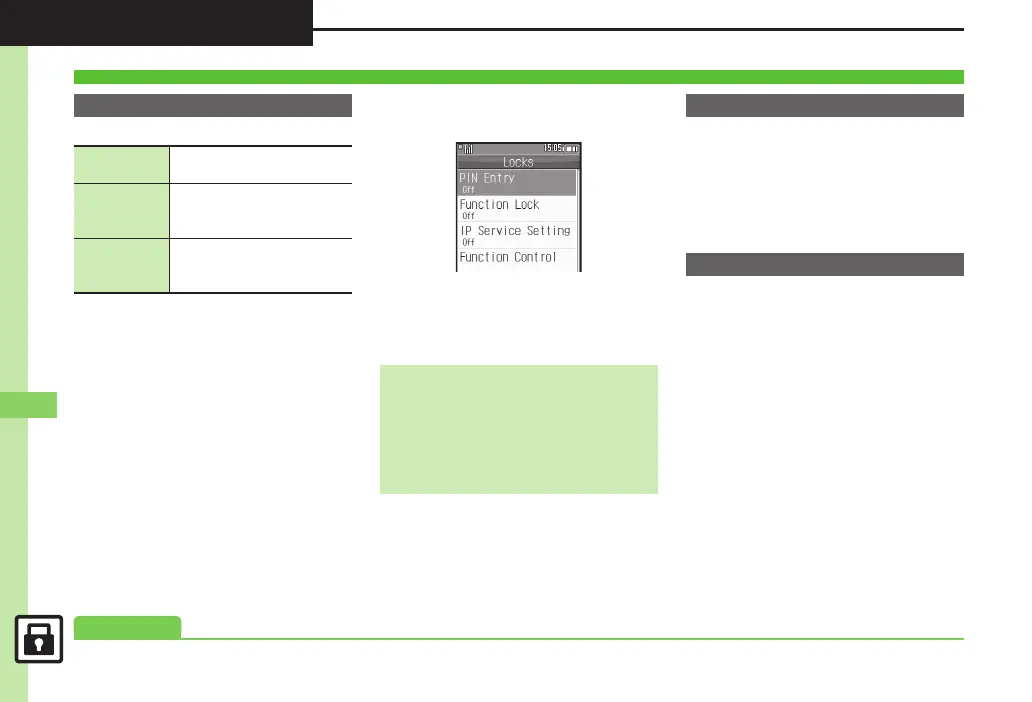
Locks Menu
2Function Lock S %
3Select option S %
Activate PIN Entry to require PIN entry
each time handset is powered on.
1In Locks menu, PIN Entry S
% S Switch On/Off S %
2On S % S Enter PIN S %
Lock a lost handset remotely via PC or
another handset. Secure Remote Lock
disables all operations except powering on.
For more about Secure Remote Lock, see
SoftBank Mobile Website (P. 15 - 2 2 ) or
contact SoftBank Mobile Customer
Center, General Information (P.15 -39 ).
Operations Security
Function Lock
Auto
Lock when Display turns off
or handset is closed
Once
Lock immediately; setting is
canceled once handset is
unlocked
At Power On
Lock when powering on;
Handset Code entry
window opens
Unlocking Temporarily
While handset is locked, enter
Handset Code S %
Available Operations while Function
Lock is Active
. Power on/off, answer calls, place callers
on hold, end calls, etc.
PIN Entry
Secure Remote Lock
0(Changing PIN (Setting Secure Remote Lock activation message (P.11 -5 )



 To Next Page