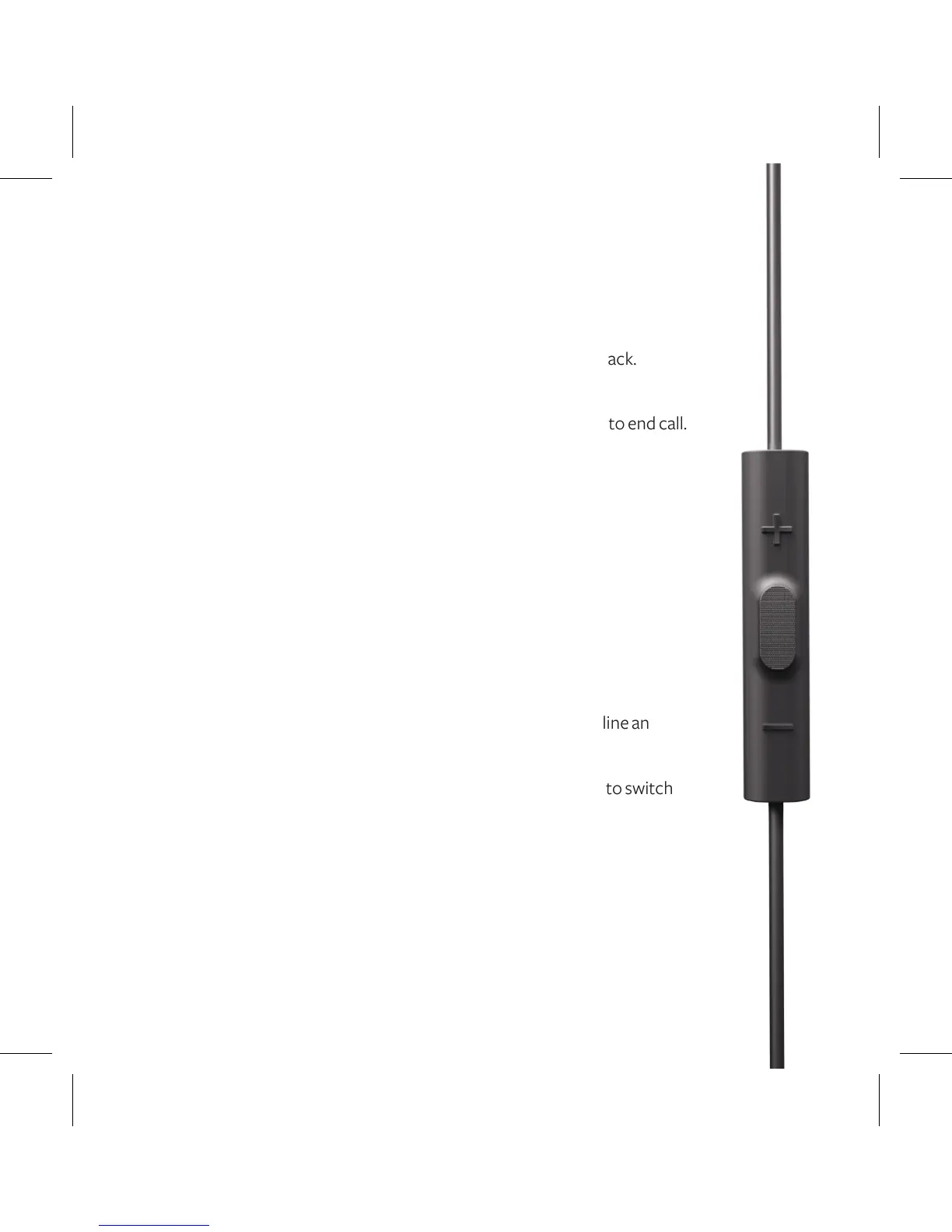
USING YOUR REMOTE
FOR COMPATIBLE PRODUCTS
DURING MUSIC PLAYBACK
Click play button once to pause, and click again to resume playback.
DURING PHONE CALLS
Click play button once to answer incoming call; click once again to end call.
FOR COMPATIBLE APPLE PRODUCTS
DURING MUSIC PLAYBACK
Click play button twice quickly to track forward.
Click play button three times quickly to track backward.
Press top button to increase volume.*
Press bottom button to decrease volume.*
DURING PHONE CALLS
Press and hold down play button for about two seconds to decline an
incoming call.
Click play button twice to switch over to call waiting, click again to switch
back to original call.
Press top button to increase volume.*
Press bottom button to decrease volume.*
*Made for iPod, iPhone, iPad models only












 To Next Page