EasyManua.ls Logo

SOLAC ID7840 - User Manual

SOLAC ID7840
13 pages
Go to English
Print Icon
To Next Page IconTo Next Page
Loading...
MOD.
ID7840
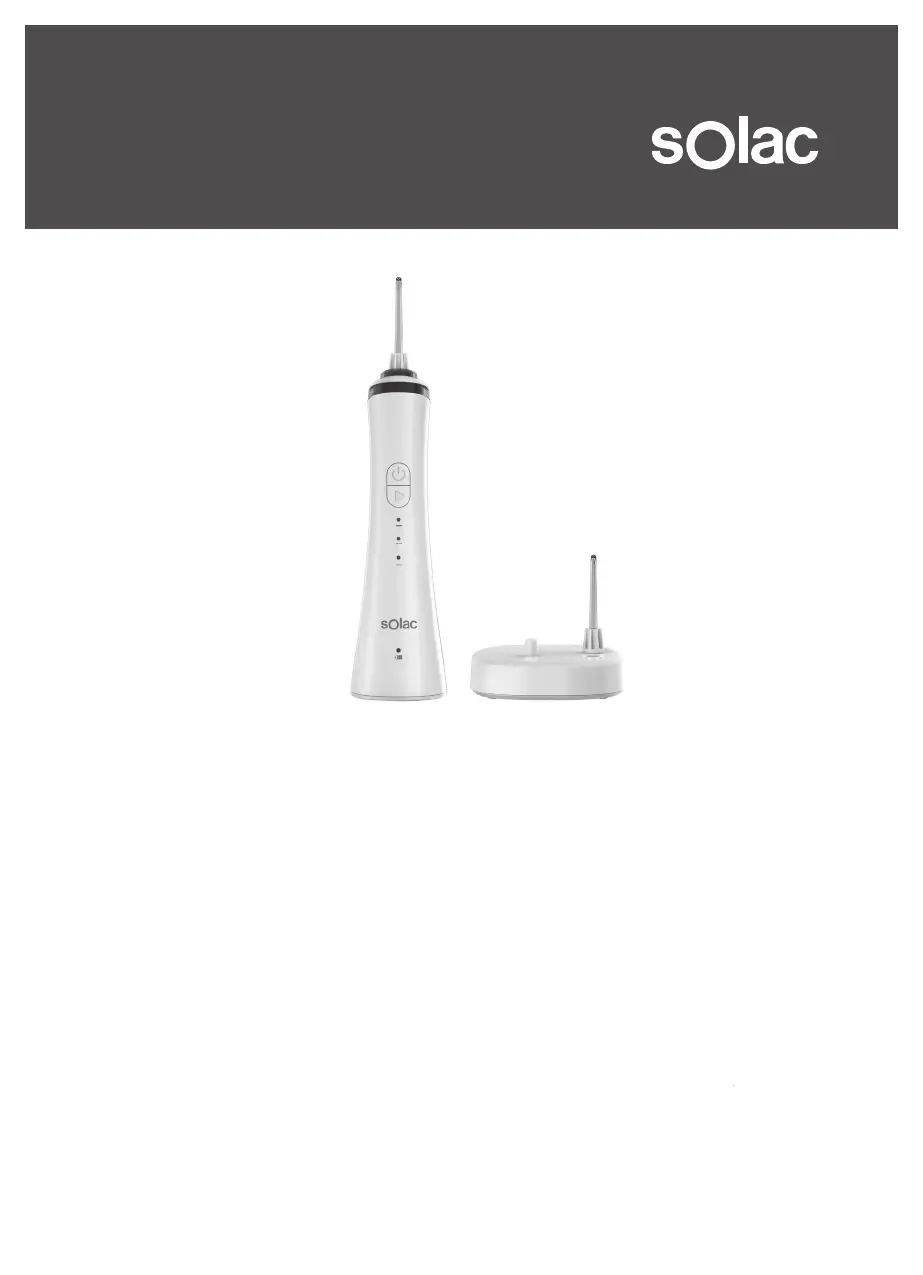
WATER FLOSSER
INSTRUCTIONS FOR USE
Solac is a registered Trade Mark
ΣΥΣΚΕΥΗ ΚΑΘΑΡΙΣΜΟΥ ΔΟΝΤΙΩΝ
ΟΔΗΓΙΕΣ ΧΡΗΣΗΣ
Η ένδειξη Solac είναι σήμα κατατεθέν

Questions and Answers

  • Y
    ymoodyJul 28, 2025
    What to do if the charging indicator does not illuminate when charging SOLAC Accessories?
    • J
      Jennifer HamptonJul 28, 2025
      If the charging indicator of your SOLAC Accessories doesn't light up when charging, ensure the power plug is correctly connected to the power source. If the issue persists, it might be due to a circuit malfunction, and you should contact the service center for support.
  • S
    sanchezbrianaAug 5, 2025
    Why is the water pressure very low in my SOLAC Accessories?
    • M
      Mary WalkerAug 5, 2025
      If your SOLAC Accessories water pressure is very low, the first step is to replace the nozzle, as there may be dirt stuck in it. Note that the manual doesn't provide a solution for a deformed nozzle.
  • D
    dianacollinsAug 13, 2025
    What to do if water does not come out of SOLAC ID7840 Accessories?
    • J
      John LopezAug 13, 2025
      If water does not come out of your SOLAC Accessories, first check if the tank is empty and fill it up. Also, ensure you are using the appliance in a vertical position. If the issue continues, it may be due to a pump malfunction, and you should contact the service center for support.
  • M
    Michael ReyesAug 19, 2025
    Why does SOLAC ID7840 only work for a few minutes after charging?
    • S
      Stacy SaundersAug 19, 2025
      If SOLAC Accessories only works for a few minutes even after charging, charge the unit for at least 16 hours. If the problem persists, the battery may have reached the end of its life cycle, and you should contact the service center for support.

Summary

Safety Advice and Warnings

General Safety and Usage Guidelines

Covers child safety, supervision, water temperature limits, electrical safety, battery handling, and proper product usage.

Description

Product Components

Lists and identifies all parts of the water flosser with their corresponding labels (A-K).

Charging the Battery

Battery Charging Procedure

Details the initial charging requirements, duration, and indicator lights for the device battery.

Instructions for Use

Initial Setup Steps

Covers essential pre-use actions including packaging removal and completing the first full battery charge.

Filling and Preparing

Instructions for correctly filling the water tank and preparing the unit for operation.

Operating the Water Flosser

Usage and Cleaning Guide

Details inserting the nozzle, selecting modes, proper usage posture, cleaning technique, and device shutdown.

Nozzle Maintenance

Explains the procedure for removing and replacing nozzles to ensure optimal performance.

Troubleshooting

Common Issues and Solutions

Addresses common problems like device not working, low water pressure, and no water output with corresponding solutions.

Cleaning

Appliance Cleaning Instructions

Provides guidance on cleaning the equipment using a damp cloth and avoiding harsh chemicals or submersion.

Anomalies and Repair

Handling Damaged Products

Instructs users to seek authorized service for damaged products and warns against self-disassembly.

Ecology and Recyclability

Product Disposal and Environmental Information

Information on proper disposal of packaging and the product's environmental impact.

Battery Removal

Procedure for Battery Withdrawal

Step-by-step instructions on how to safely remove batteries from the device after full discharge.

SOLAC ID7840 Specifications

General IconGeneral
BrandSOLAC
ModelID7840
CategoryAccessories
LanguageEnglish

Related product manuals