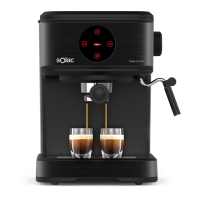
USE
• Connect the appliance to the mains.
• Turn the appliance on, by using the on/off button.
• The button lights will start to blink.
• Wait until the lights stop blinking and it will indicate that
the product is heated up and ready to make your coffee.
RECOMMENDATIONS TO PREPARE A GOOD ITALIAN
ESPRESSO
• Use 7-9 gr of coffee when making one cup.
• Press the coffee lightly, but don’t push it too hard or too
soft.
• Heat the lters before adding coffee.
• Maintain the appliance clean and everynow and then
make a cycle without adding coffee in the lter to clean
the outlet water part of the coffee maker.
STAND BY MODE
• Once the machine is switched on, it heats up and
automatically goes into Standby mode, awaiting a
command.
• In Standby mode the 1 cup and 2 cups button lights stay
lit, and the thermoblock technology keeps being ready for
brewing.
MAKING COFFEE
ONE COFFEE
• Remove the lter holder from the machine if it is attached.
• Recommended: Empty and clean the lter with a ne-
bristled brush after each use to enjoy the full aroma of
the coffee.
• Fill the coffee lter with ground coffee, using
approximately 7-9g of coffee, and press it down with the
tamper.
• Insert the lter into the lter holder and attach the lter
holder to the machine, turning it counterclockwise until it
locks into place.
NOTE: We recommend using natural roast coffee.
Torrefacto coffee can affect the operation of the machine.
NOTE: The lter might be a litter tight and hard to take it
out from the lter holder when you want to change the lter.
You can use another lter to pry it out. (Fig. 2).
• Press the 1 cup button. The machine will start with the
PRE-INFUSION, pouring a small amount of water over
the coffee to moisten it. Then, it will brew the coffee and
automatically stop.
• Clean the lter once the function is nished.
TWO COFFEES
• Repeat all the previous steps, replacing the 1 cup lter
with the 2 cups lter and lling it with approximately 15-
16g of coffee.
• Press the 2 cups button. The machine will operate until
the brewing process is complete.
HOT WATER
• From standby mode, open the steam water knob. The
pump will start running and hot water will come out
directly from the steam pipe.
• Once nished, close the ow with the steam/ water knob.
STEAM / FROTHING MILK
• From standby mode, press the steam button. It will start
ashing indicating the thermoblock is heating up to reach
130°C for dry steam.
• Immerse the container with the steam pipe inside the milk
or the liquid to be heated.
• Once ready, the indicator light will stay on and the
machine will beep.
• Open the steam water knob. You will hear the pump
emitting small pulses, generating the steam.
• When the liquid or milk is hot, close the steam knob and
wipe the pipe with a dry cloth.
• Once the function is nished, press the coffee button to
lower the temperature and return to standby mode.
COFFEE QUANTITY PROGRAMMING
• With this coffee maker it is possible to set the amount of
coffee that each button brews. To do this, make a coffee
by following the instructions above, changing only one
step:
• When pressing the button to brew the coffee, keep it
pressed down until you reach the desired quantity and
then release it.
• The machine saves this setting for subsequent brews.
• The time can be set from 20 to 75 seconds. (30 ml – 200
ml)
AUTO SHUT OFF FUNCTION
• To save energy, the appliance will shut off after 29
minutes if you are not using it.
• To turn it on again, you simply must press the on/off
button.
ONCE YOU HAVE FINISHED USING THE APPLIANCE
• Unplug the appliance from the mains.
• Allow to cool down.
• Clean the appliance.


 To Next Page