6
Charging Quick Connect – Red
This connector is used to place the unit into Charging Mode. To place the unit into Charging Mode, the
Voltage Selection Quick Connect is mated to this connector.
Output Quick Connect – Gray
Cable Quick Connect – Gray
These connectors are used to transfer the power generated by the 4001 to the cables and clamps for delivery
to the vehicle. The Output Quick Connect is located on the back of the Battery Tray and the Cable Quick
Connect is located at the end of the output cables opposite the clamps. These two connectors only mate with
each other – they cannot be mated to any of the above Red connectors.
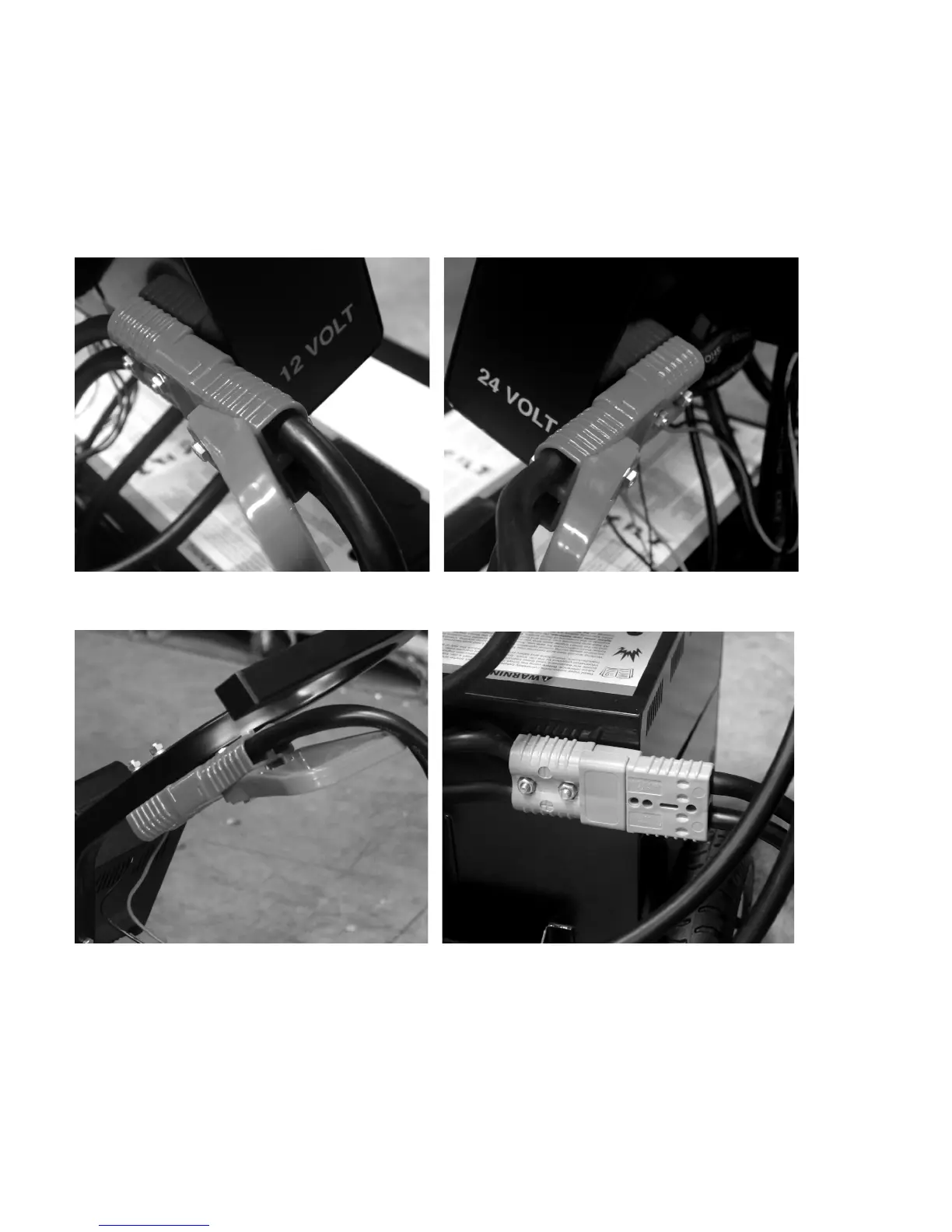
12 Volt Quick Connect (Red) 24 Volt Quick Connect (Red)
with Voltage Selection Quick Connect Attached with Voltage Selection Quick Connect Attached
Charging Quick Connect (Red) Output Quick Connect (Gray)
with Voltage Selection Quick Connect Attached with Cable Quick Connect Attached


 To Next Page