SolarEdge Wi-Fi Kit Quick Installation Guide
MAN-01-00166-1.1
7 Insert the rubber seal with the cable into to the gland body
and reconnect the gland to the inverter. Tighten the cable
gland.
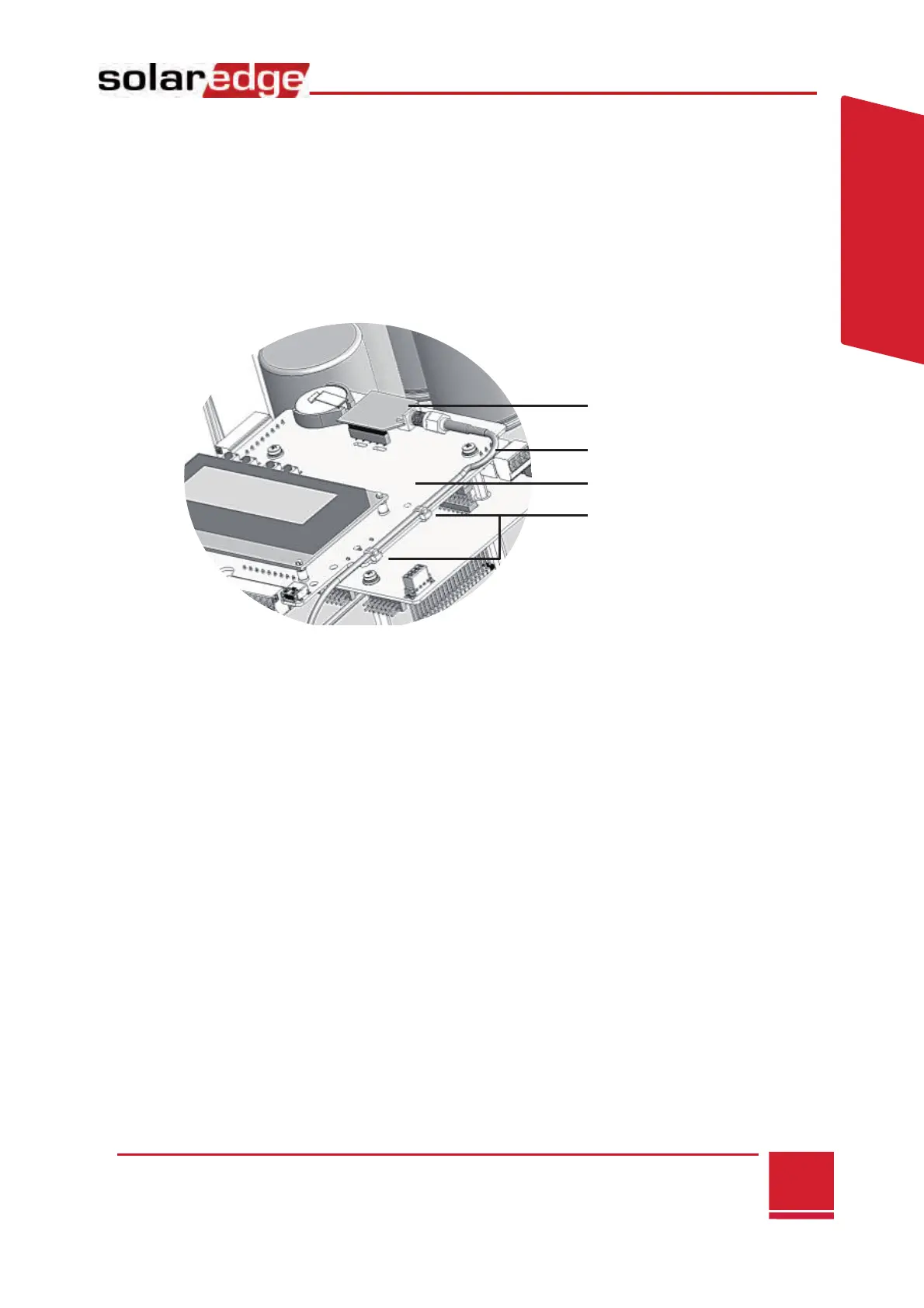
8 Connect the Wi-Fi module in its place on the communication
board, as shown below.
9 Route the cable towards the Wi-Fi module along the
communication board side.
10 Tighten the cable to the communication board using the two
supplied cable ties.
11 Connect the RF cable to the Wi-Fi module and tighten
manually.



 To Next Page