SolarEdge Wi-Fi Kit Quick Installation Guide
MAN-01-00166-1.1
Installing the Antenna and Wi-Fi Module
Install the supplied antenna and module in the device that will
communicate within the network (inverters or SMI; the steps herein
describe connection to an inverter).
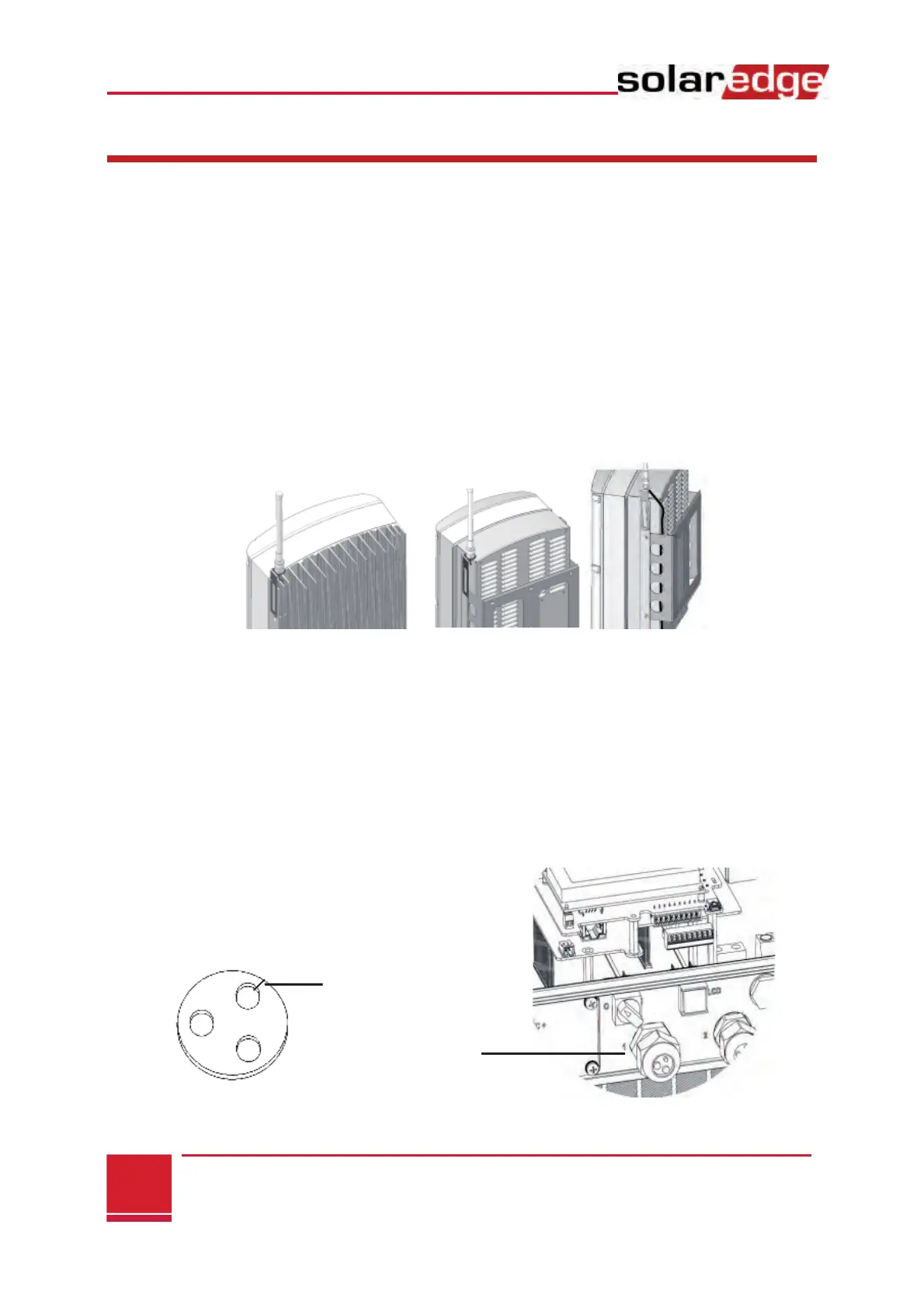
1 Connect the antenna to the mounting clip and attach the
mounting clip to the top of the inverter or to the wall. Make
sure the antenna is vertical.
2 Route the antenna cable behind the inverter.
3 Disconnect the AC power to the inverter and wait 5 minutes.
4 Open the inverter cover as described in its manual.
5 Remove the rubber seal from cable gland number 1 and insert
the RF cable through the gland and through the gland opening
in the inverter.
6 Push the cable into the cut opening of the rubber seal.
Single phase inverter Three phase inverter



 To Next Page