Dyaco Canada Inc 2015 customerservice@dyaco.ca 17
REPLACING SENSOR TRANSMITTER BATTERIES
(Optional)
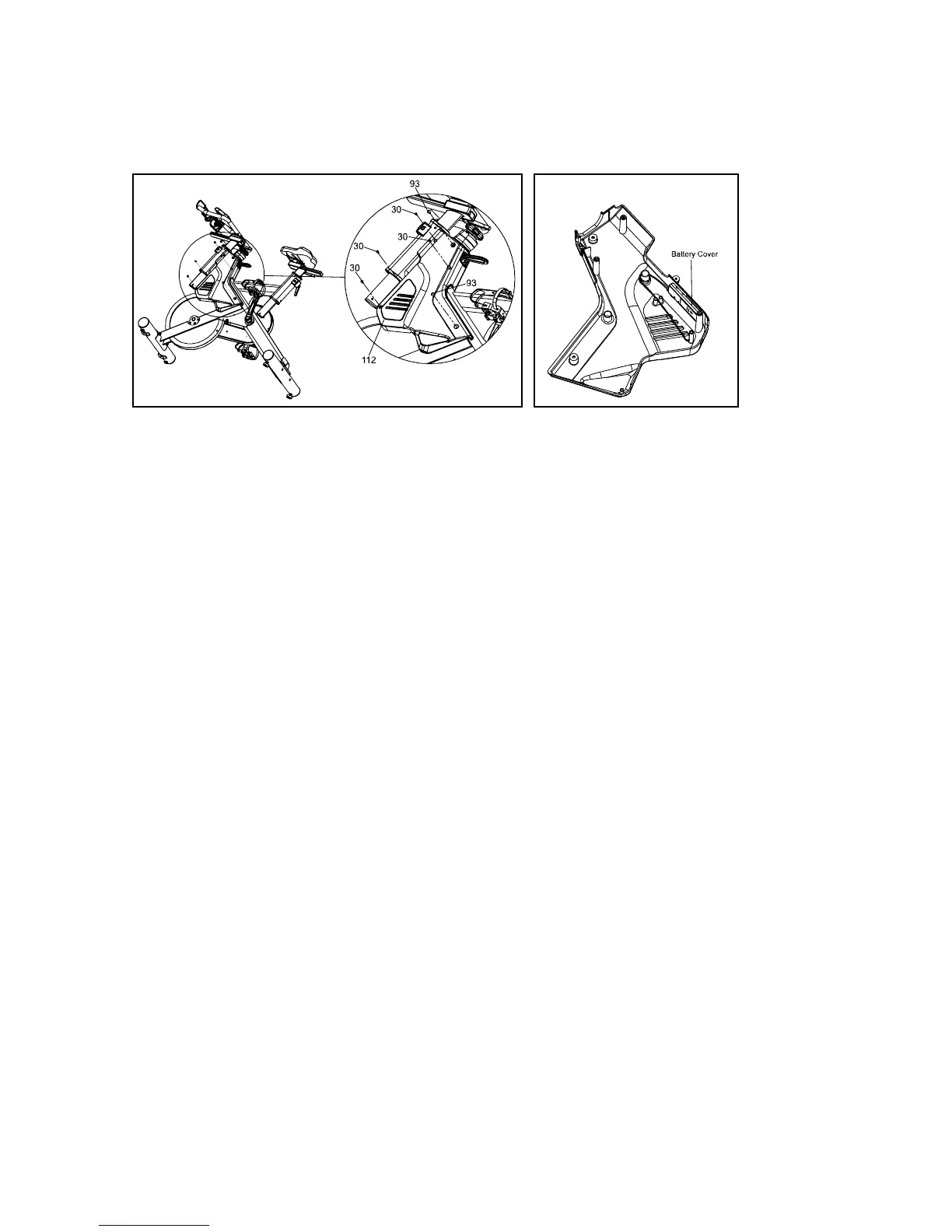
1. Remove the left cover (112) by removing four screws (30) and two screws (93).
2. Without removing the transmitter from the left cover (112), remove the Battery Cover
from the transmitter.
3. Install 2 AAA batteries in the battery compartment and reinstall the battery cover.
4. When new batteries are installed in the transmitter or console you must perform the
synchronizing procedure below for the console to work properly
5. After synchronizing, make sure the wire from transmitter is wrapped around the plastic
as in the above image.
6.
Reinstall left cover.
SYNCHRONIZING THE TRANSMITTER TO THE CONSOLE:
After installing the batteries, and before attaching the console and transmitter to the bike,
you must synchronize the two so they can ‘talk’ to each other.
1. Press and hold the two keys on the front of the console for about 3 seconds until the
display shows ID - -
2. Now press and hold the blue button on the transmitter for 3 seconds and release.
The con- sole display should show ID 0. NOTE: You must press the blue button within
10 seconds after the console is showing ID - - otherwise the console will show: ID ER.
If the console shows this error then restart the procedure again.
3. It may be necessary to remove and re-install the batteries in both the console and
transmitter if you continue to receive an error.
REPLACING CONSOLE BATTERIES
When the “Low Battery” indicator shows up on the display it is time to change the batteries.
1. Remove the battery cover from the back of the computer.
2. Insert 2 AAA batteries into the battery compartment and reinstall the battery cover.


 To Next Page