Dyaco Canada Inc 2015 customerservice@dyaco.ca 9
5
CONSOLE
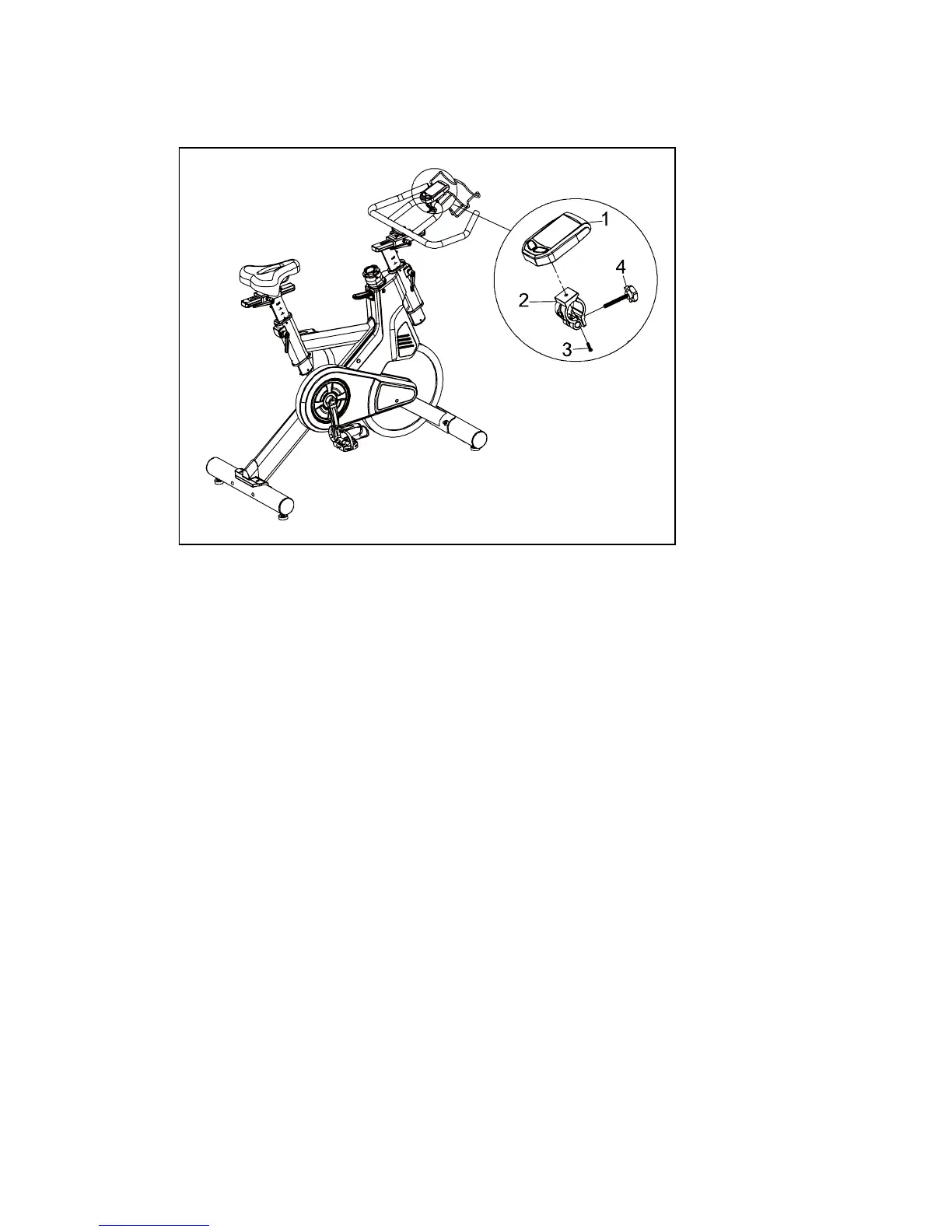
1. Install the mounting clamp (2) to the back of the console (1) with the clamp mounting
screw (3).
2. Install and slightly tighten the thumb screw (4) then adjust the console angle for
optimal visibility. Once the console is adjusted, continue to tighten the screw until it
is securely attached to the handle bar.


 To Next Page