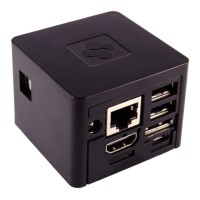
Blinking:
7 USB0 First powered USB port. Connect your USB
device such as Keyboard, Mouse, HD, etc… Do
not overload with more than 0.5A current
consumption.
Supported Supported
8 USB1 First powered USB port. Connect your USB
device such as Keyboard, Mouse, HD, etc… Do
not overload with more than 0.5A current
consumption.
Supported Supported
9 eSATA External SATA Hard Drive connection. Not
supported
Supported
10 MicroUSB MicroUSB for serial port connection. Use this
port for service and debug if you are using the
device for lab and development.
Not
supported
Supported
11 SPDIF Output SPDIF Optical Output. Mechanical dimensions of
the optical output connector are small due to
device size. It is recommended to purchase and
use the SPDIF cable available from SolidRun and
distributors, or an equivalent cable.
Supported Supported
12/a Infra RED Rx Infra Red receiver for remote control support.
Running application must support this
functionality.
Supported Supported
12/b Infra RED Rx Infra Red transmitter for controlling devices in
vicinity such as TV set, STB box, etc... Running
application must support this functionality.
Not
Supported
Supported
3.
System Specifications Hardware:
Below is a table summarizing CuBox-i features for all models.
I1W-300-D
I2W-300-D
I2eXw-300-D
CuBox-i1w
CuBox-i2w
CuBox-i2eXw
Lite
DDR3
800Mbps
800Mbps
1066Mbps
1066Mbps


 To Next Page
 Loading...