Levelogger App Interface Quick Start Guide
Batteries
The Levelogger App Interface operates using four 1.5V AA
replaceable lithium batteries (alkaline batteries can also be used).
To install or replace the batteries:
1) Unscrew the top cap of the Levelogger App Interface to access the
battery holder.
2) Slowly remove the battery holder from the Levelogger App Interface
housing.
3) Ensure proper installation (polarity) when replacing the batteries.
4) Insert the battery holder back into the Levelogger App Interface
housing. Ensure it is lined-up properly.
5) Screw the top cap of the Levelogger App Interface firmly back onto
the housing.
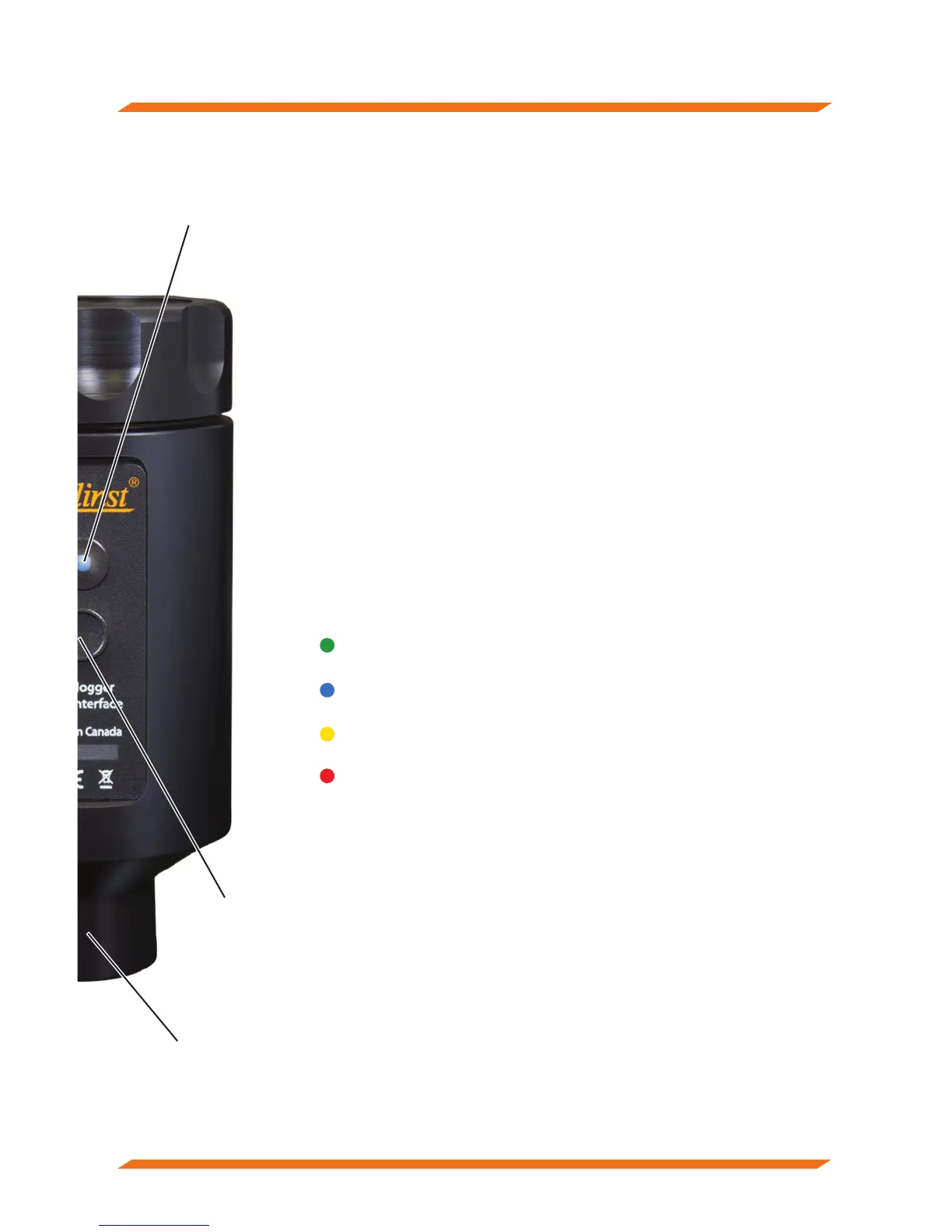
Power Button and LED Light
Press and hold the power button for 1 second to turn the
Levelogger App Interface on. Press and hold the power button
for 3 seconds to turn the Levelogger App Interface off. The App
Interface will automatically turn off after 10 minutes of inactivity.
The LED indicates the status of the Levelogger App Interface:
Green light flashing every second: Ready/waiting for a Bluetooth
connection to be made from your smartphone device.
Blue light flashing every 3 seconds: Bluetooth connected/device paired
(App is open).
Yellow light: Levelogger App Interface is turning off while the button
is held pressed.
Red light flashing every 10 seconds: Batteries are low, need replacing.
Using the Levelogger App & Interface
1) Download the Solinst Levelogger App for your smart device on
Google Play™.
2) Connect the Levelogger App Interface to the top end of your
Levelogger’s Direct Read Cable or Adaptor, or AquaVent Wellhead
Connector Cable. Press the power button to turn the App Interface on.
3) Enable (turn on) Bluetooth on your smart device by going to Settings
> Bluetooth. Scan for devices. Pair the Levelogger App Interface to
your smart device by selecting it from the list of Bluetooth devices.
4) Launch the Solinst Levelogger App and connect to your datalogger.
5) Once you are finished programming or downloading your datalogger,
disconnect the Levelogger App Interface, and connect to a datalogger
at your next monitoring location.
Power
Button
LED Light
Coupling



 To Next Page
 Loading...