In-App Setup
10
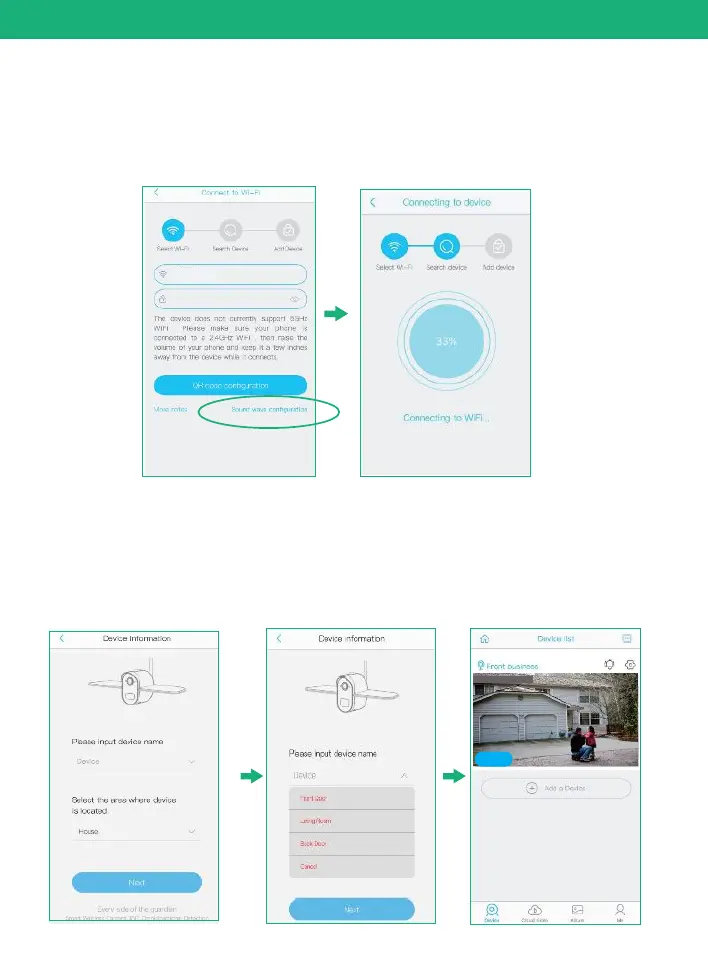
Method 2: Sound wave configuration
2.1
Enter into the “search device” page, make sure to turn up
you phone’s volume to the Maximum, you will hear the
following : “Pairing Information Received”. voice
3)
You have connected the device to the App successfully.
Choose a name of the devices from the drop-down choice,
or you can modify one that you want, and then select the
area where device is located.(you have to choose one or
you cannot connect the camera to the app)
2019-12-27 15:00:36
Online


 To Next Page