In-App Setup
12
2019-12-27 15:00:36
Online
7.How to Share Your Camera with More Users
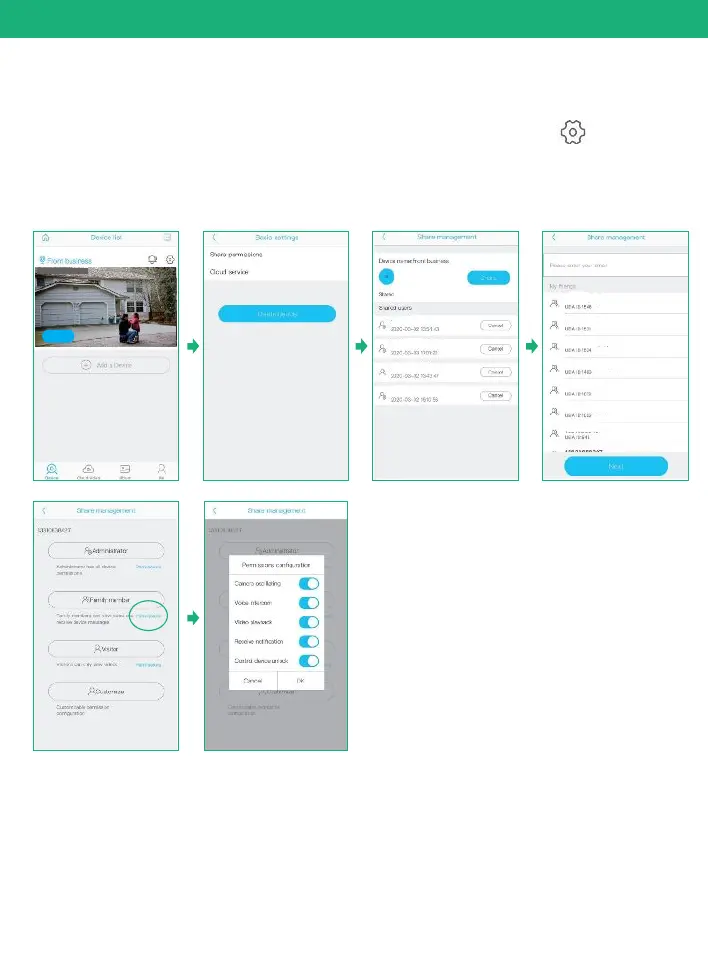
When you can use your camera properly.You can start to share
your camera to your friends or family members. click“ ”and
choose "share permissions". input the account that you want to
share with. choose a permissions from Administrator, family
member, Visitor, Customize
You can Customize the permissions and turn on or off every permission
as you wish by clicking the blue icon"permissions"


 To Next Page