Detailed App Instructions
24
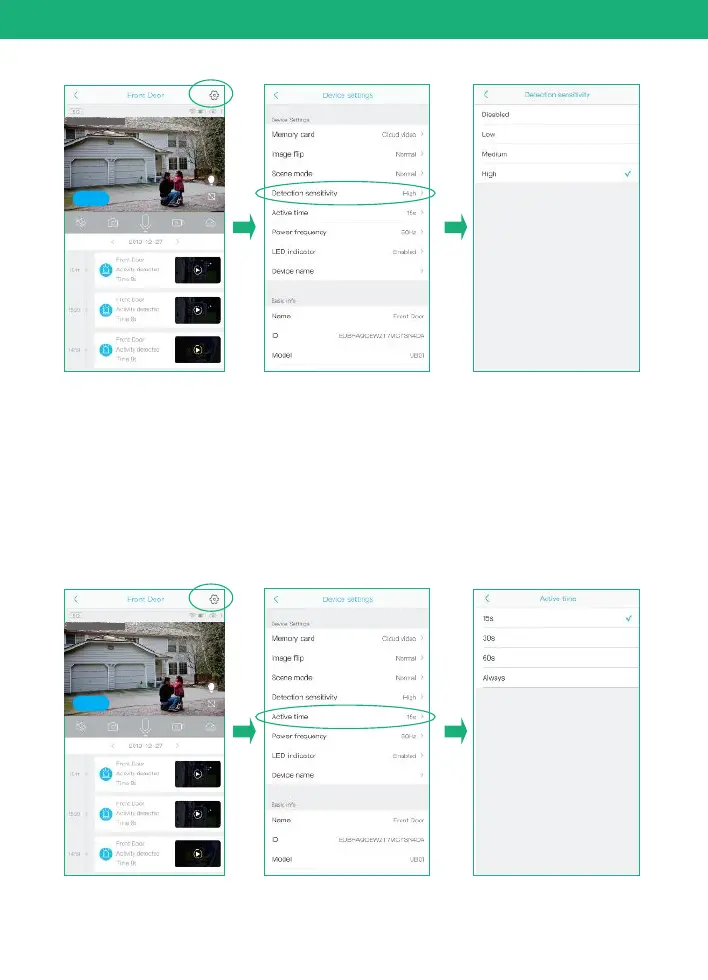
Active time
1) This is the time you could set for the video length recorded
to micro sd card.
2) Always: If you choose this option,you will not allow the
camera enter into standby mode,the camera will keep
recording all the time until battery drains out. ( 60 seconds
per file)
2019-12-27 15:00:36
Online
2019-12-27 15:00:36
Online


 To Next Page