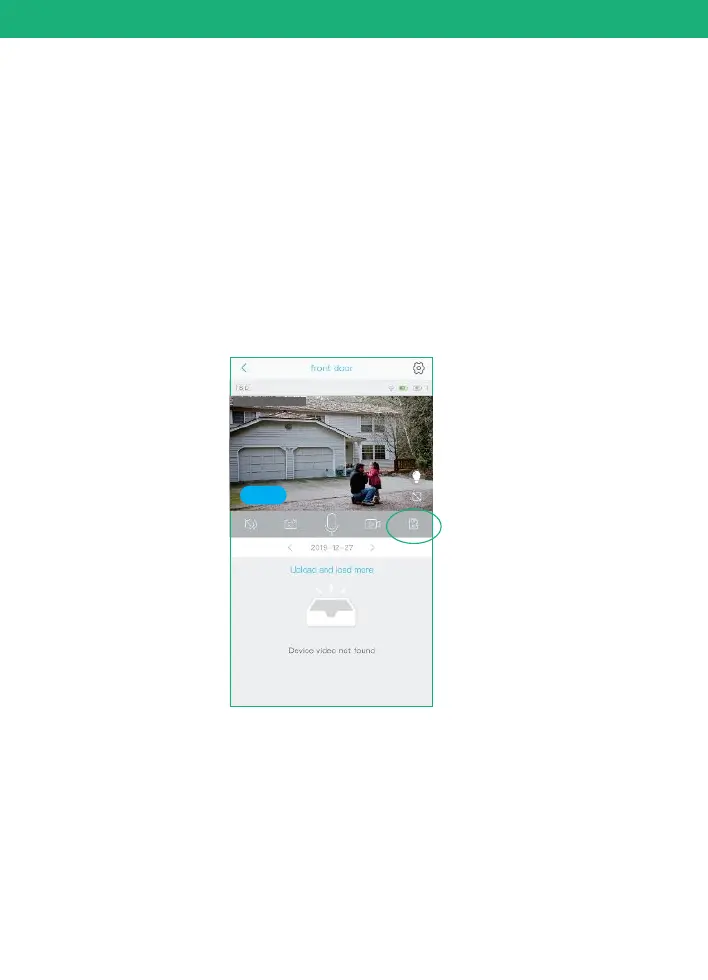
How to save and delete videos
27
1. Videos can be saved in Cloud Storage:
(1). The videos of PIR activity
You could save the videos of PIR activities in cloud storage,
which can be used 30 days for free and then you have to pay
for the services. and the videos in the Cloud can be playback
in the app.
2. Videos can be saved in the SD card:
(1). The videos of PIR activity
(2). The videos of live viewing
You could playback these videos.
3. Videos can be saved in the mobile phone album:
(1). The videos of REC mode
(2). The screenshot
You need to delete the videos of REC mode and the
screenshot from your phone's album.
2019-12-27 15:00:36
Online


 To Next Page