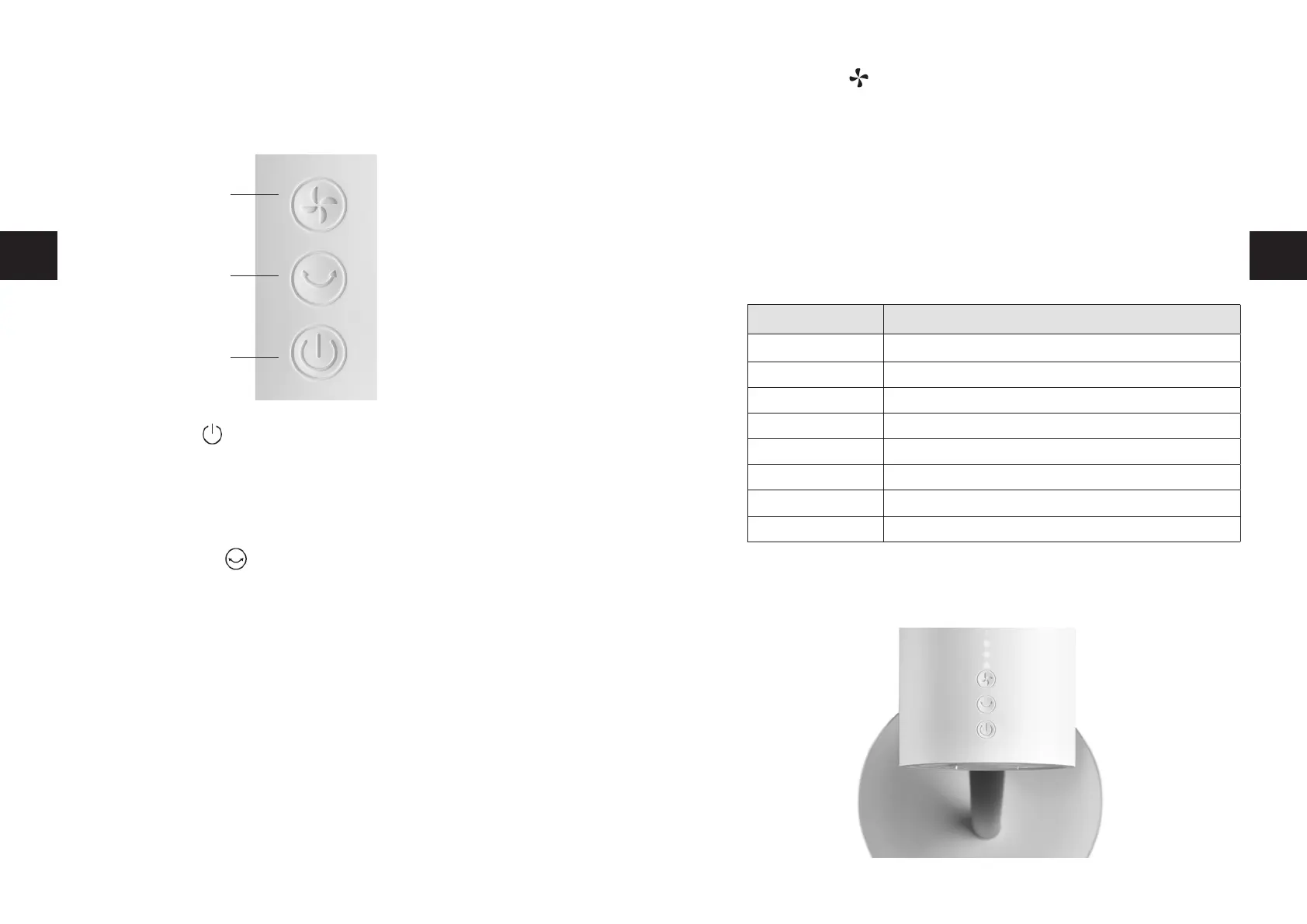
C Speed button
With the speed button, you can choose from 8 different speed settings. Each
touch of the button increases the speed setting by one level. The green LEDs
indicate the current setting:
Speed 1: 1 faint green LED
Speed 2: 1 bright green LED
Speed 3: 1 bright and one faint LED
Speed 4: 2 bright green LED
and so on. Please note the following table:
Touching the button once again switches the appliance back to speed 1.
7978
s
THE FUNCTION BUTTONS
THE FUNCTION BUTTONS ON THE CONTROL PANEL
A On/Off button
Once you have switched the appliance on with the On/Off button, the appliance
starts up. The speed button (C) on the motor casing allows you to control the
speed. The green LED dots above the button indicate the speed.
Touching the On/Off button again switches the appliance back off.
B Oscillation button
Touching the oscillation button on the motor casing makes the fan move hori-
zontally at a 90° angle.
Note: The ventilator can also oscillate at angles of 30°, 60° and 120°. However,
these settings can only be made via the remote control.
Touching the oscillation button again switches the oscillation function back off.
Speed Green LED dots
1
1 x faint
2 1 x bright
3 1 x bright, 1 x faint
4 2 x bright
5 2 x bright, 1 x faint
6 3 x bright
7 3 x bright, 1 x faint
8 4 x bright
C
B
A
GB GB


 To Next Page