®
www.solton-acoustic.de
8
www.solton-acoustic.de
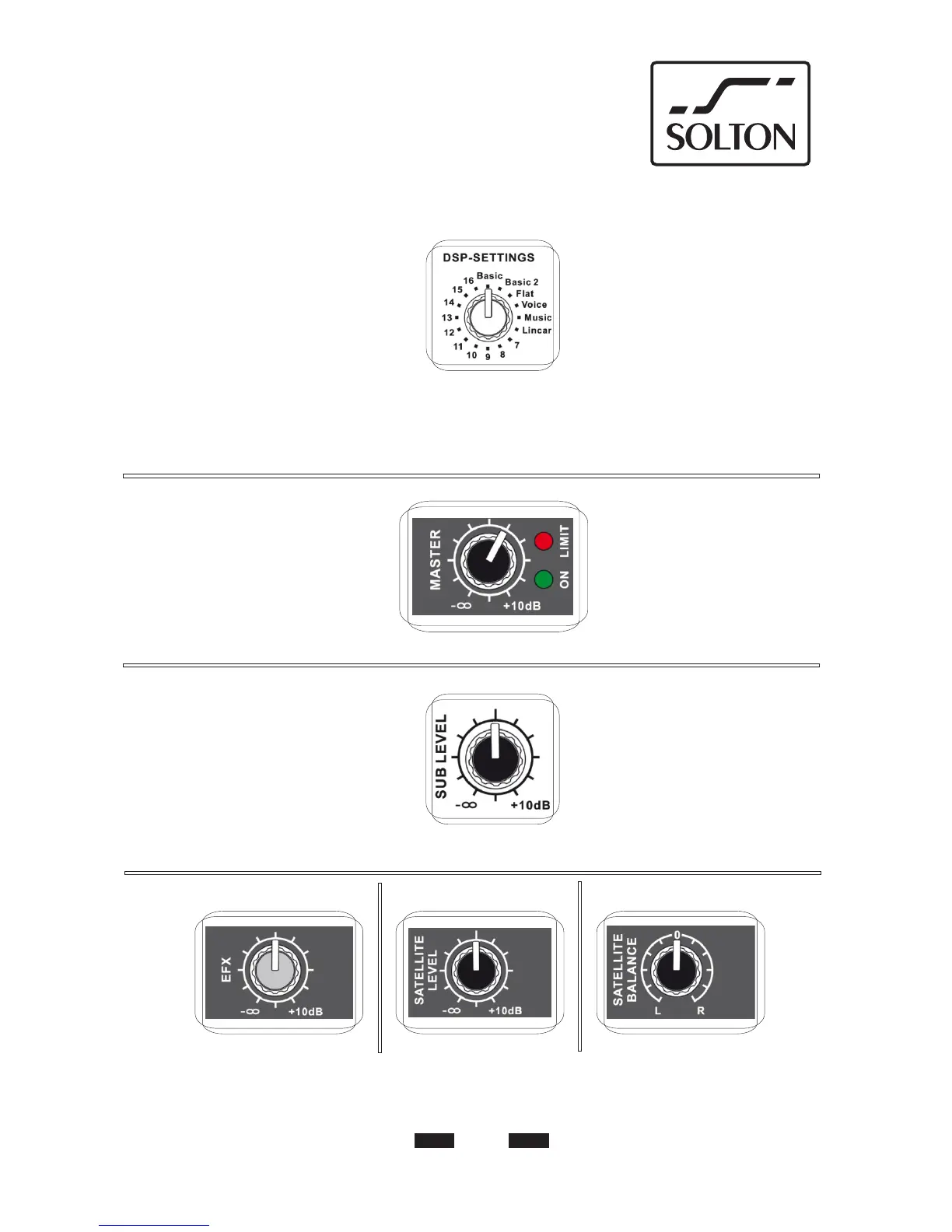
DSP-Settings:
16 Soundprogramme haben Sie zur Auswahl.
Die Positionen 1-6 sind werksseitig mit dem
Basic-Sound programmiert, jedoch offen. Es
können mittels PC wenn gewünscht auch
selbst Sounds erstellt werden. „KNOW HOW“
vorausgesetzt.
6 Setups von Basic bis Linear sind bereits
fertig erstellt und den jeweiligen Musik-
richtungen zugeordnet.
Mit der Software besteht auch die Möglichkeit
ein Delay zu setzen.
DSP-Settings:
You have 16 sound programs at choice.
The position 1-6 are programed with basic
sound, however open and opens you the
possibility to create your own sound styles
by PC. “KNOW HOW “ assumed.
6 setups from basic till linear are ready
made and assigned for the respective
styles of music.
With the software it‘s also possible to
put a delay.
PICCO
Bring the MASTER-controller in
this position after switched on
the amp and increase volume
it needs.
Bring the subwoofer level middle
position (look graphic). The ready
sound presets are programed in
this position.
Decrease or increase as required.
Die fertigen Programme sind erstellt bei Position
des Bassreglers in der Mitte, siehe Graphik.
Bei Bedarf Bassvolumen vermindern oder
erhöhen.
Stellen Sie den MASTER-Regler
bei Betrieb in diese Position und regeln Sie
bei Bedarf die gewünschte Lautstärke
nach.
Grundeinstellung:
Basic settings:


 To Next Page