Multiroom is now Sky Q Mini
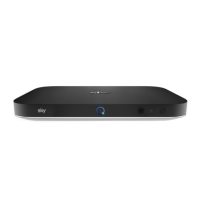
The Sky Q Mini STB is smaller than the main box and operates as a slave to the main STB. Although it only has one virtual tuner for live
viewing, it can also access the recorded material from the main STB. There is no coax connection on the Sky Q Mini. It can connect via WiFi
or wired Cat 6 and if you've go
t the Sky Q Hub and Sky Broadband it also doubles as a hotspot extender. If needs be, it can even be connected
through a Powerline system. Powerline uses the existing mains wiring in a property to send data through the electric cables hidden in the
walls. Connection is via the usual 13amp mains plug and makes connection very fast and simple for the consumer. Powerline is typically
more reliabl
e than WiFi, without the need to install a new cable.
Sky Q Hub
Although it is possible to use the Sky Q Silver box and Mini boxes with any internet service provider’s router, Sky will offer you the Sky Q
hub. Its main benefit is the added features on the Sky Q mini, such as adding a wireless hotspot and Powerline networking capability. The
router looks similar to the Sk
y Q Mini box and it features the faster 5GHz 802.11ac Wi-Fi service.
Coming soon
Although not available at launch, Sky will be offering 4k viewing during 2016. They will be adding voice search and a range of apps too. The
present tablet streaming facility will expand to phones too.
New Hardware, new Installs
So let’s start at the beginning and examine why Sky needed to change its hardware. The present system of transmission from the satellites
sends two groups of signals simultaneously. They use the same frequency bands and are beamed down in two distinctly different polarities,
horizontal and vertical. This means that an LNB “sees” all of the channels (grouped together in digital clusters called “MUX’s) at the same
time.
But coax cable can’t operate in horizontal and vertical modes; it can only wor
k with one polarity at a time. This problem is compounded
because the traditional set top box (STB) tuner can’t receive the whole band of channels at once, it can only deal with about half.
To solve this problem, the standard LNB only delivers half of one polarity down the coax at any point in time. When the viewer chooses a
channel to watch, the set top box send
s an instruction to the LNB, telling it which polarity it needs to select and which half of the band it
requires, thus enabling it to receive the channel the viewer has requested.
This “instruction” is in the form of a voltage and a tone. The polarity is selected by moving the DC power from the STB to the LNB from 13
volts to 18 volts. It selects th
e lower or upper half of the band by adding a 22kHz tone to the coax cable. So there are four possible “groups”
of signals.


 To Next Page
 Loading...