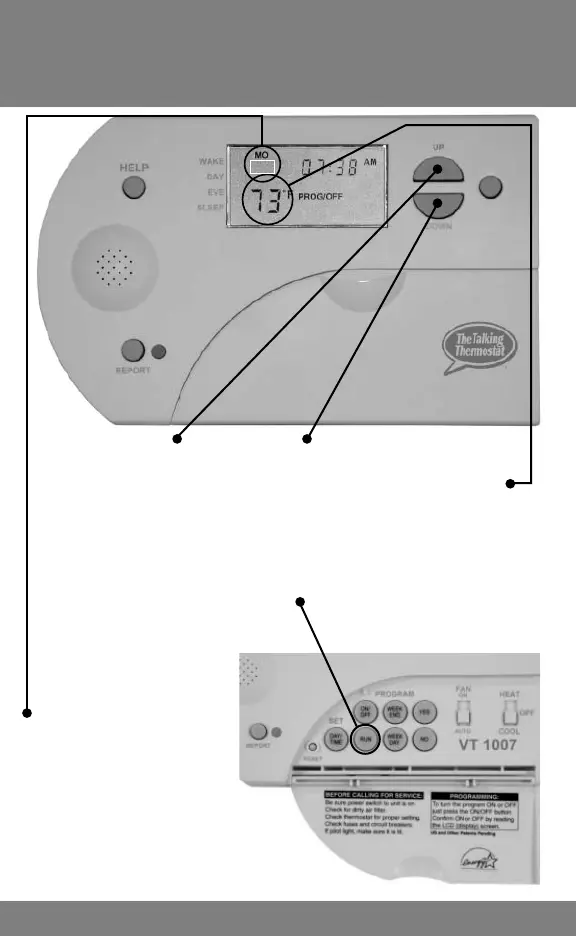
Setting Cycle Rate
3
Press the UP and DOWN keys together
and HOLD until INDOOR TEMPERATURE
starts to FLASH. RELEASE. Press BOTH
again until Cr1 appears in setpoint location.
Press UP and DOWN key to move to the
desired setting. Press Run.
Cr1 will appear here.
NOTE:
Cr1 = 1 Degree
Cr2 = 2 Degrees
Cr3 = 3 Degrees
CR1



 To Next Page