The mobile app
This paragraph provides a comprehensive guide on the basic functionalities of the app. It should be noted that the
app will be updated regularly. New features will be added to the app. For the most updated version of its guide
please check our knowledge base - https://somnoxsupport.com/en/
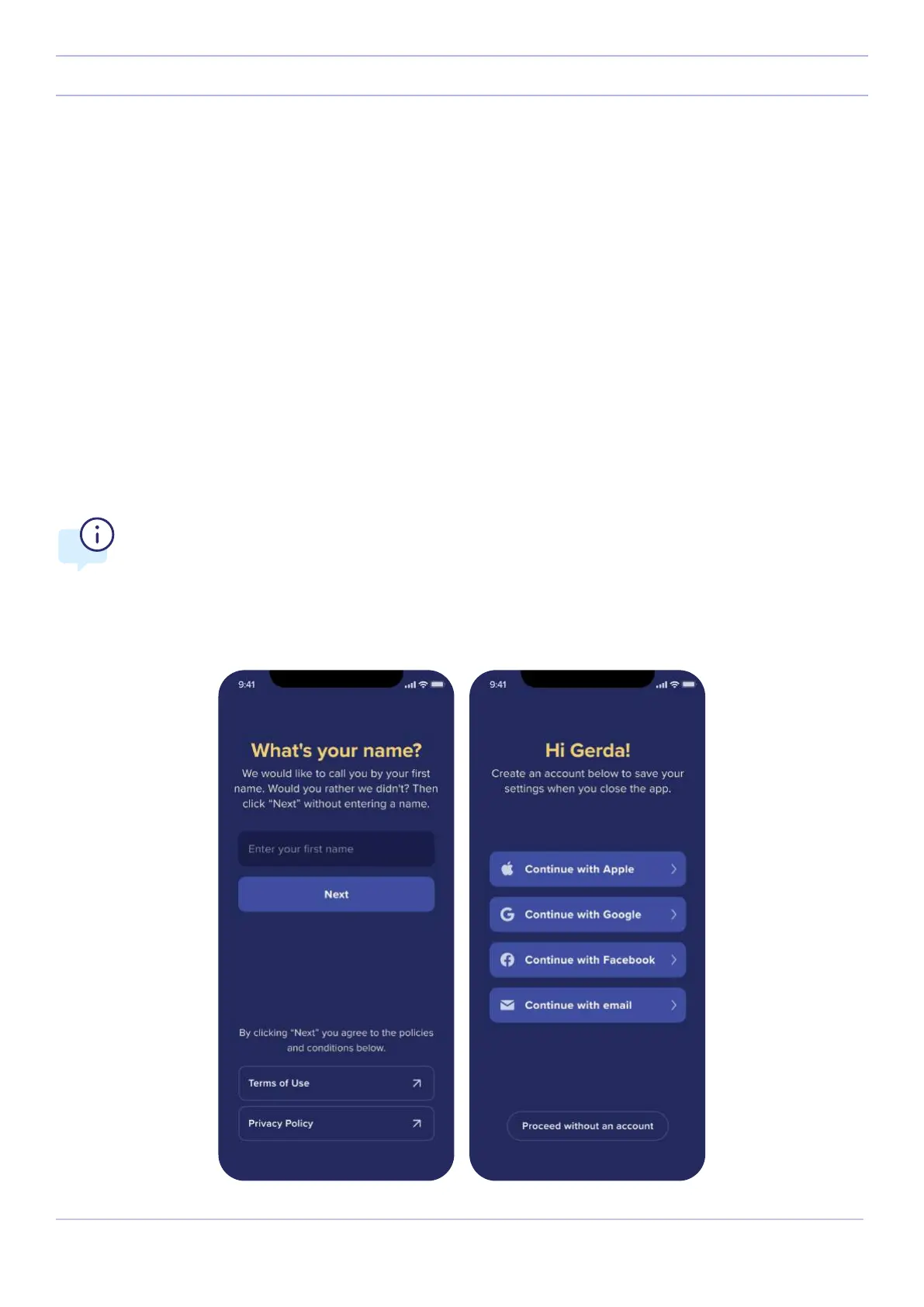
1. Fill in your name. If you prefer not to use your real name, you can use a nickname as well.
2. We will ask you to sign in. You can sign in using your Google account, Facebook account, Apple sign in (only
applicable for Apple devices) or make a new account using your email.
Create an account & Sign in
Why do you need to create an account?
1. This allows us to save your custom settings. So for example when you switch to a new phone, you don’t
need to readjust the settings.
2. This helps us to provide better customer support for you.
16
Somnox © 2021
The mobile app



 To Next Page