09
Ÿ Please read this guide before installing or operating the system.
Ÿ Do not allow children to climb or play around this product.
Ÿ Do not drag the desk on any surface to avoid damage.
Ÿ This product should be away from water or any corrosive materials.
Ÿ If any part is missing or damaged, please contact the seller for help.
Ÿ The system needs to be initialized before its first run or after the replacement of any part.
Ÿ All hex-head screws should be manually tightened; self-tapping screws should only be tightened by a power drill.
Ÿ Always check that the screws used to attach components to the work surface are shorter than the thickness of the table.
Setting & Use
Safety Information
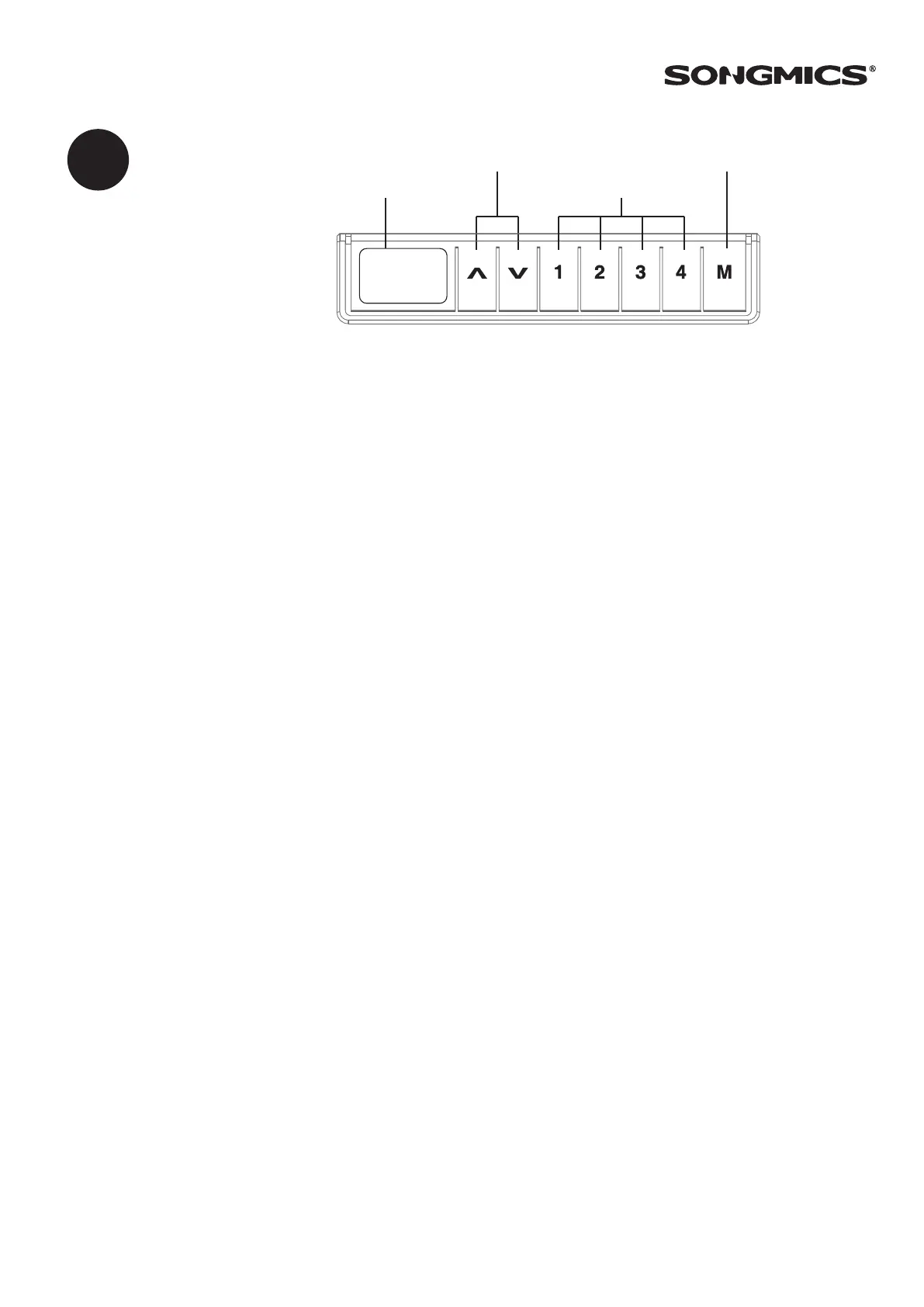
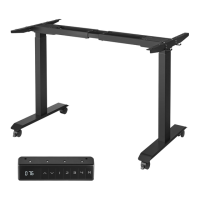
Ÿ Press and hold the “↑” or “↓” button to reach the desired height.
Normal Height Adjustment
Ÿ When the desk is at the height that you want to memorize, press and hold the “M” button until the displays flashes. Then press the “1”
button and the screen will display “P1”. Now preset position 1 is memorized.
Ÿ Repeat the above procedure for preset positions 2, 3 & 4.
Ÿ Memory data remains even after power off or system restart.
Setting the Memory Function
If the system doesn’t work normally or displays “E00”, please reset the system. Here’s how:
Ÿ Press and hold on both the “↑” and “↓” buttons until the desk moves down to the lowest height.
Ÿ There will be a “beep” sound, and the display will show the lowest height.
Ÿ The reset is finished and ready to use.
System Reset
69.5
Desktop Height
Height Adjustment
4 Preset Heights
Setting
EN
Ÿ Maximum height limit: Adjust the desk height to your desired maximum height. Press the "↑" and "↓" buttons once briefly at the same
time, quickly release the "↓" button, and then press "↓" three times within 3 seconds. When you hear a beep sound, it means that the
maximum height limit has been successfully set.
Ÿ Minimum height limit: Adjust the desk height to your desired minimum height, press the "↑" and "↓" buttons briefly once at the same
time, quickly release the "↑" button, then press "↑" three times within 3 seconds. When you hear a beep sound, it means that the
maximum height limit has been successfully set.
Ÿ If the height limit is set again, then the new height limit will override the old one.
Ÿ Deactivate height limit: Adjust the desktop to the height limit, and repeat the steps to set the limit height to deactivate the height
limit. When you hear a beep, the height limit set before has been canceled.
Ÿ Note: If you reset the system after setting the height limit, the desk will still be lowered to the minimum height (if the display shows
66-131 cm, it will still lower to the minimum height of 66 cm after resetting the system). But it can only move up until it reaches the
previously set minimum limit height, and can only operate between the minimum and maximum limit heights if it exceeds the
previously set minimum limit height.
Set the Height Limit
Ÿ Press and hold the "1", "2", and "S" buttons at the same time for 5 seconds, and the display will show a flashing "C-I". Then if you press
"1", the display will show "C", and the digital display is metric; if you press "2", the display will show "I", and the digital display is imperial.
Metric and Imperial Units



 To Next Page