1 Package Contents
NOTE: The included power cord is approved for use only in specific countries or regions.
Before using a power cord, verify that it is rated and approved for use in your location. The
power cord is for AC mains installation only. Refer to the NSa 2700 Safety, Regulatory, and
Legal Information document for additional safety information.
メモ: 添付の電源コードに関して電気安全を確保するために、弊社製品にご使用い
ただく電源コードは必ず製品同梱の電源コードをご使用ください。この電源コー
ドは他の製品では使用できません。
Items missing? Contact SonicWall Technical Support at:
https://www.sonicwall.com/support/contact-support
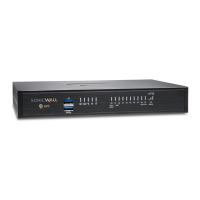
NSa 2700 appliance
Ethernet cable
Serial console cable (RJ45 to DB9)
Power cord (1)
SonicWall NSa 2700 Quick Start Guide
Safety, Environmental, and Regulatory Information documents
2 Front Panel
MGMT
MGMT Port - RJ45: Dedicated 1GE interface for appliance
management and SafeMode access.
Solid Green = Link at speeds 1G or lower, Blinking Green = Activity
console
Console Port - RJ45: Serial Console for CLI access
X16, X17,
X18
10/5/2.5/1GE SFP/SFP+ Ports and LEDs:
Solid Amber = Link at 10, 5 or 2.5G
Blinking Amber = Activity at 10, 5 or 2.5G
Solid Green = Link at 1G or lower
Blinking Green = Activity at 1G or lower
Off = No link
X0 – X15
RJ45 1GE Copper Ports and LEDs:
Solid Green = Link at 1G or lower, Blinking Green = Activity at 1G or
lower, Off = No link
Amber LED is not used
SafeMode Button: A recessed button used to enter SafeMode:
If NSa is up: Press button with a narrow, straight object.
If NSa is down: Press while connecting NSa to power and hold until
Test LED blinks yellow 3 times.
Power Button:
Short press powers ON if button was used to power system off.
Short press powers OFF with Graceful Shutdown. Test and Alarm
LEDs turn Red. Standby power to some circuitry stays on.
Long Press (5+ sec) = Forced Shutdown. Standby power to some
circuitry stays on.
SS
USB SS 3.0 Ports: For Configuration, Recovery, Re-imaging the NSa,
and USB WWAN device support
Storage LED: Solid Green = M.2 extended storage module present,
Blinking Green = Activity, Yellow = Storage warning, Off = No storage
Alarm LED: Red = High Level Alarm (such as Fan Failure) / Power
down requested, Yellow = Lower Level Alarm
3 Rear Panel
Test LED: Red = Power down requested, Yellow = Initializing,
Blinking Yellow = SafeMode / FIPS test in progress, Off = Normal
Power LED: 1 = Primary, 2 = Redundant
Blue = Powered on, Yellow = Defective redundant power supply
System Fan
Redundant Power Input (with cover plate):
A redundant power supply can be ordered separately.
Primary Power Input
4 Connect and Power On
To power on your NSa and connect the LAN and WAN:
1 Connect the provided power cord to the appliance and
to an electrical outlet (100-240 volts). The NSa powers
on. The startup sequence takes about 8 minutes.
2Connect the NSa LAN interface (X0 by default) to your
local, internal network.
3Connect the NSa WAN interface (X1) to the Internet.
SonicWall
®
NSa 2700
Quick Start Guide
For product information, use the QR code or go to
SonicWall Tech Docs for NSa
Regulatory Model Number Product Name
1RK51-109 NSa 2700
Copyright ©
2021 SonicWall Inc. All rights reserved.
SonicWall is a trademark or registered trademark of SonicWall Inc. and/or its affiliates in
the U.S.A. and/or other countries. All other trademarks and registered trademarks are
property of their respective owners.
The information in this document is provided in connection with SonicWall Inc. and/or its
affiliates' products. No license, express or implied, by estoppel or otherwise, to any
intellectual property right is granted by this document or in connection with the sale of
SonicWall products. EXCEPT AS SET FORTH IN THE TERMS AND CONDITIONS AS SPECIFIED
IN THE LICENSE AGREEMENT FOR THIS PRODUCT, SONICWALL AND/OR ITS AFFILIATES
ASSUME NO LIABILITY WHATSOEVER AND DISCLAIMS ANY EXPRESS, IMPLIED OR
STATUTORY WARRANTY RELATING TO ITS PRODUCTS INCLUDING, BUT NOT LIMITED TO,
THE IMPLIED WARRANTY OF MERCHANTABILITY, FITNESS FOR A PARTICULAR PURPOSE,
OR NON- INFRINGEMENT. IN NO EVENT SHALL SONICWALL AND/OR ITS AFFILIATES BE
LIABLE FOR ANY DIRECT, INDIRECT, CONSEQUENTIAL, PUNITIVE, SPECIAL OR INCIDENTAL
DAMAGES (INCLUDING, WITHOUT LIMITATION, DAMAGES FOR LOSS OF PROFITS,
BUSINESS INTERRUPTION OR LOSS OF INFORMATION) ARISING OUT OF THE USE OR
INABILITY TO USE THIS DOCUMENT, EVEN IF SONICWALL AND/OR ITS AFFILIATES HAVE
BEEN ADVISED OF THE POSSIBILITY OF SUCH DAMAGES. SonicWall and/or its affiliates
make no representations or warranties with respect to the accuracy or completeness of
the contents of this document and reserves the right to make changes to specifications
and product descriptions at any time without notice. SonicWall Inc. and/or its affiliates do
not make any commitment to update the information contained in this document.
For more information, visit https://www.sonicwall.com/legal/.
To access the Support Portal, go to https://www.sonicwall.com/support.
SonicWall NSa 2700 Quick Start Guide
Updated - May 2021
232-005521-51 Rev A
Legend
WARNING: A WARNING icon indicates a potential for property damage,
personal injury, or death.
CAUTION: A CAUTION icon indicates potential damage to hardware or loss of
data if instructions are not followed.
IMPORTANT, NOTE, TIP, MOBILE, or VIDEO: An information icon indicates
supporting information.



 Need help?
 General











 To Next Page