Basic Operations
13
Control and VALUE knobs
Use the Control and VALUE knobs to change/adjust parameters
shown on the screen.
These knobs are also switches. They are mainly used in the following
two ways.
If a parameter has a control knob with a downward pointing arrow,
that parameter can be turned on/o or switched functions, by
pushing it.
Function button
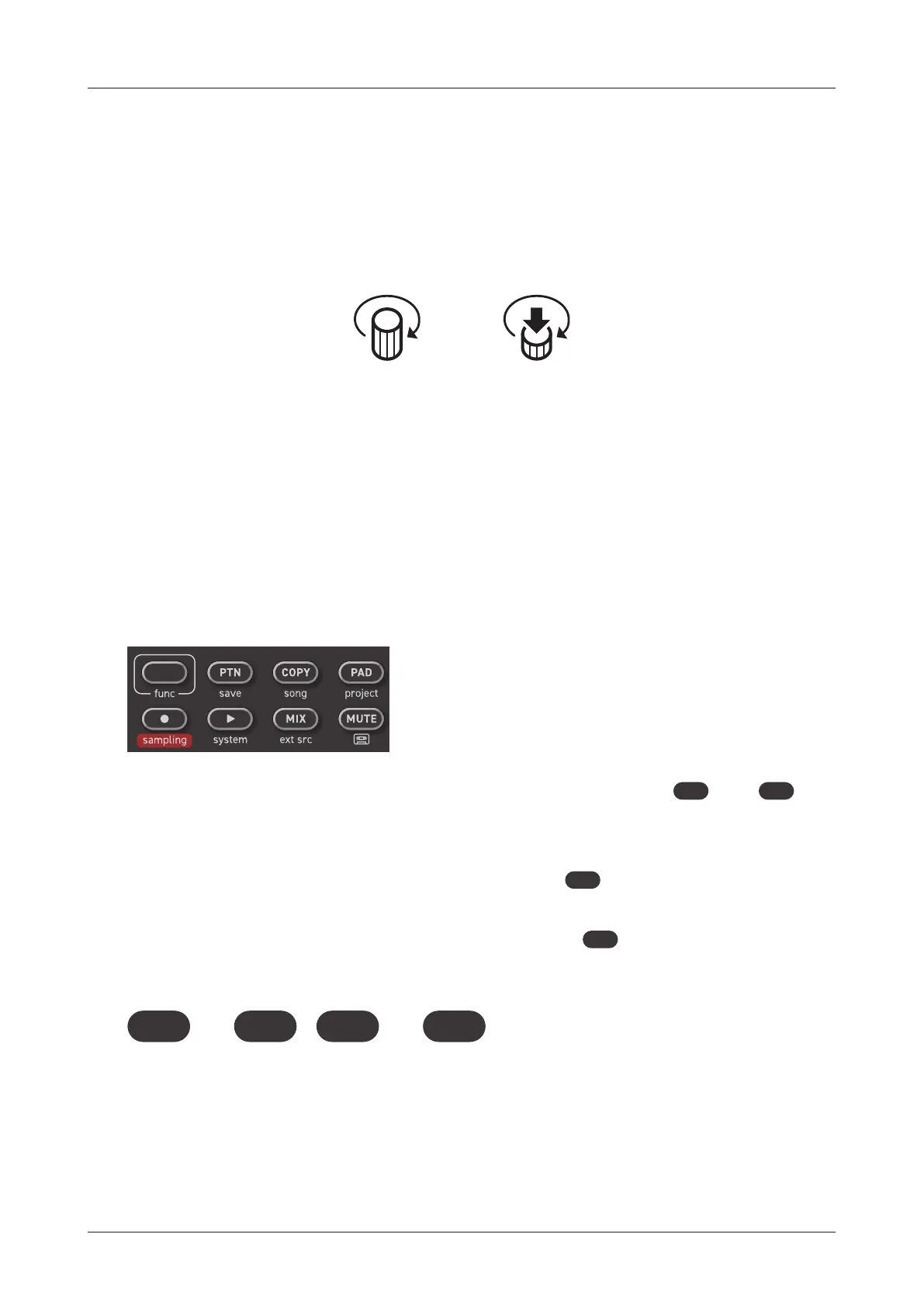
Some Lo-12 XT buttons have two functions.
In the example above, the secondary functions of the
PTN
and
COPY
buttons
are“save” and“song”.
Pressing these buttons while pressing the
func
button will open their
secondary menu.
In this manual, operations while pressing the
func
button will be shown
as follows.
func COPY
+
func PTN
+
By using the function button with knobs, and values can be skipped.
Parameters with large value ranges, for example, can be set quickly
by pressing the function button while operating their controls.
Turn Push



 To Next Page