Sample File Setup - Loading into Sample Slots -
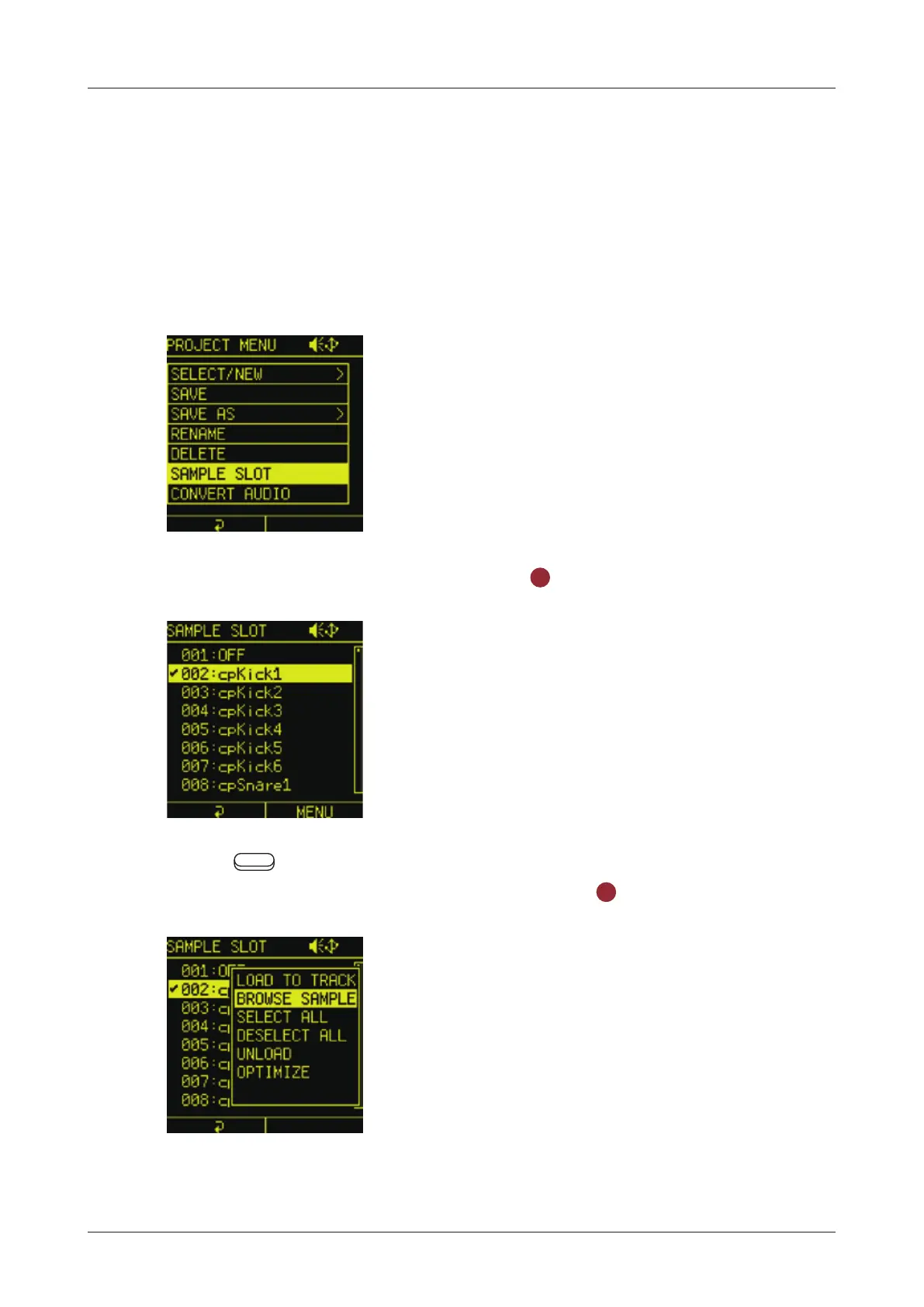
The SAMPLE SLOT in the PROJECT MENU allows you to load
a sample into a selected sample slot. You can also unload a
sample that has already been loaded into the sample slot.
Loading a sample into a selected sample slot
1
In the PROJECT MENU, select SAMPLE SLOT to open the
SAMPLE SLOT Screen.
2
Select a sample slot and press the
OK
button to put a check.
3
P r e s s
Auxiliary right button to open the SLOT MENU and
select BRWOSE SAMPLE, then press the
OK
button.
You can load a sample into the selected sample slot by following
the procedure "Loading samples from the SAMPLE POOL" on
( → P.53)
57



 To Next Page