Quick Start Guide – XP5s 7/18/2018
Page 6 of 17
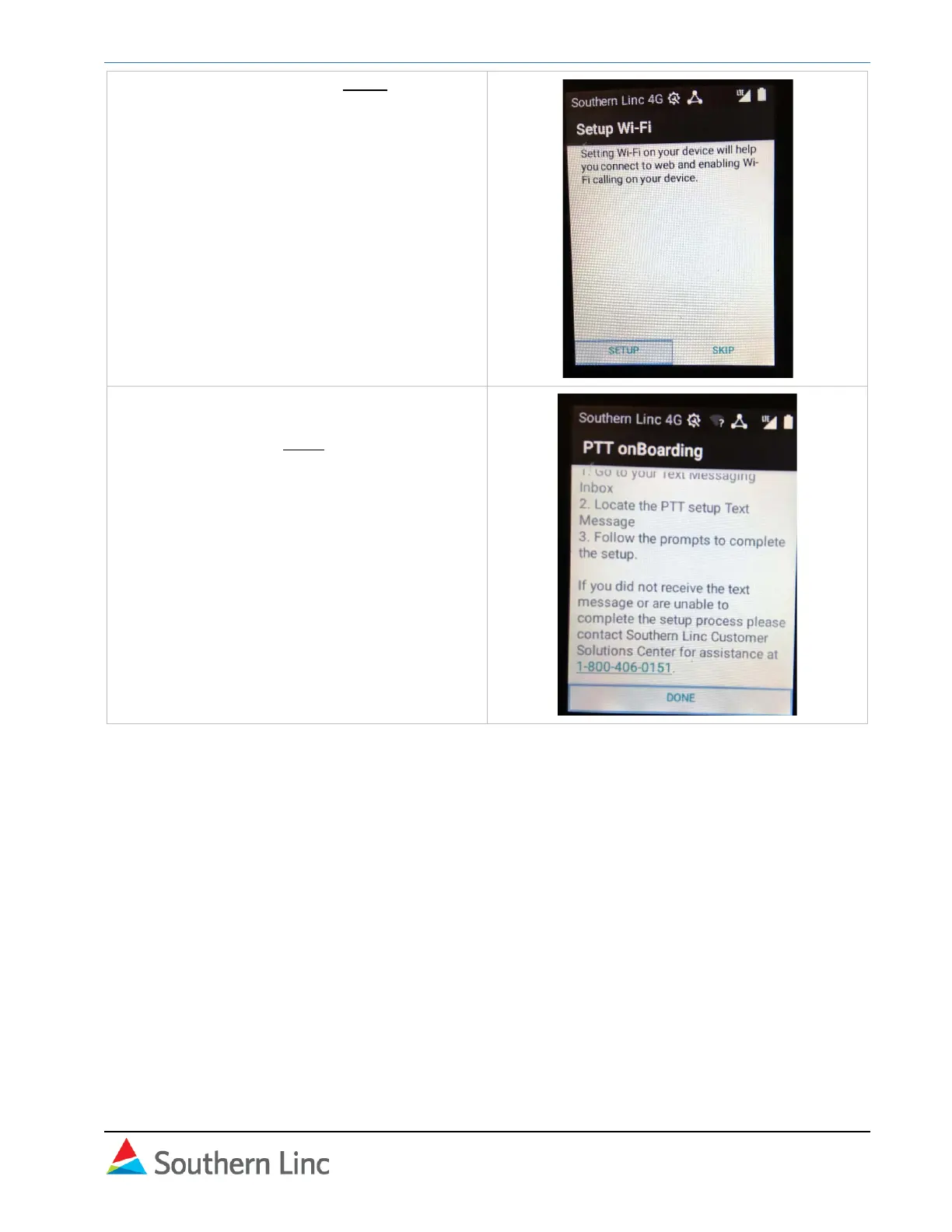
6. Set up wi-fi calling. Select Setup and follow
on-screen instructions.
To set up Wi-Fi calling later, go to Settings
– Wi-Fi Calling and follow instructions.
7. Sonim Setup is complete. Instructions will
be displayed for PTT Setup. Scroll to the
bottom and select Done.
See next section for PTT setup instructions.



 To Next Page