Quick Start Guide – XP5s 7/18/2018
Page 9 of 17
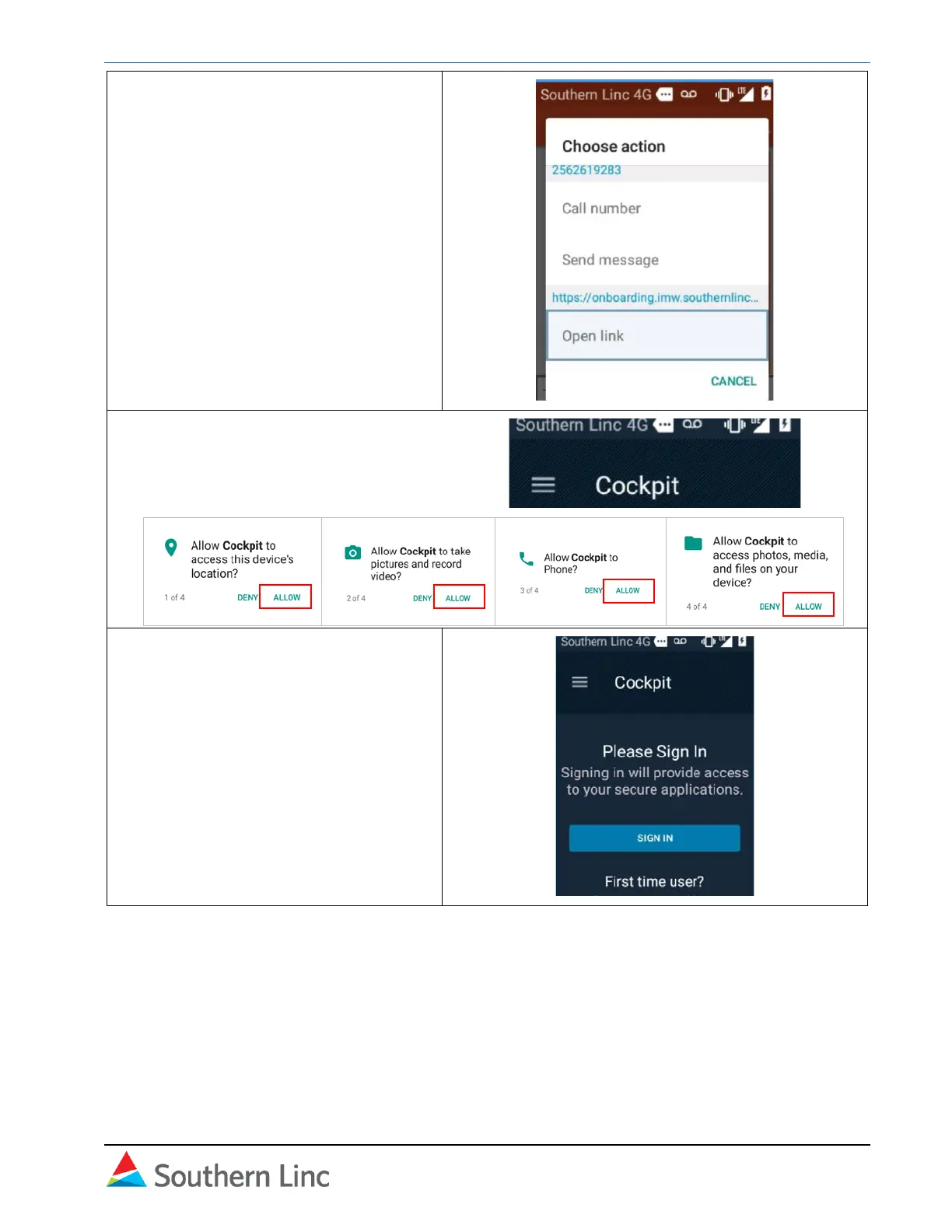
7. Navigate back to Messaging and
select the onboarding message
again. Arrow down to the hyperlink
and select Open Link.
8. The Cockpit opens. Select Allow
access to location, photos, phone,
and files.
9. Select sign in.



 To Next Page