- 8 -
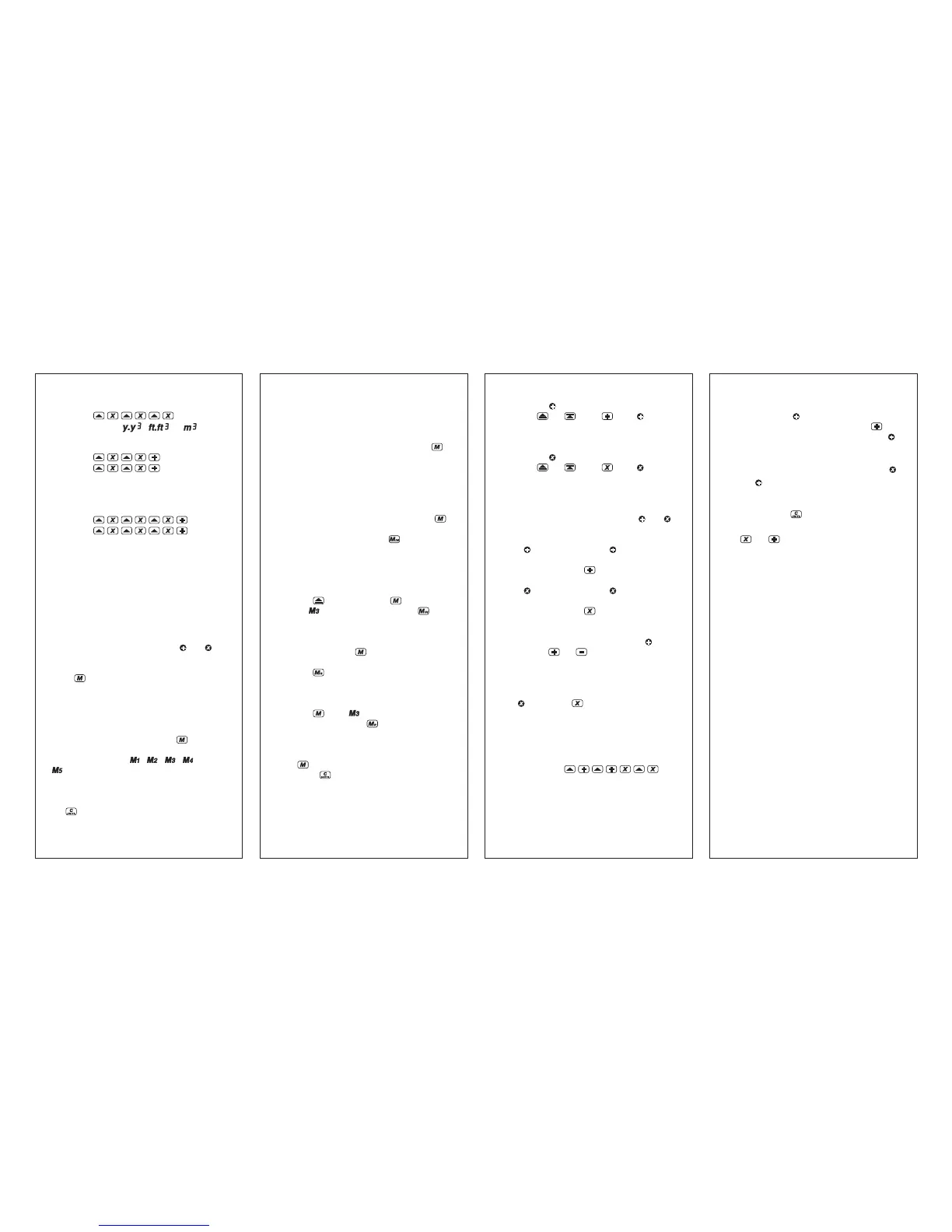
Multiplying to compute volumes:
Press
(Display shows , or )
To add areas:
Press
(Display shows total area)
(Continue until you are done adding areas.)
To add Volumes:
Press
(Display shows total volume)
(Continue until you are done adding volumes.)
Note: The SONIN 60 PRO can only add like units
of measure.
MEMORIES:
Your SONIN 60 PRO has SEVEN Memories total.
5 Memory Registers - M1, M2, M3, M4 and M5
and two mathematical memories in and .
To Access M1-M5 Memory Registers:
Press Key Once to Turn On Memory. If any
memory is already stored, the icon will appear
on the LCD showing where there is stored data,
otherwise it remains blank indicating all memory
registers are empty.
Continue to press and release the
key to
access the memory registers. The icons will blink
when accessible. (i.e. , , , and/or
blinking)
NOTE:
1) When M1 - M5 icons are blinking and the
key is pressed, it will clear the memory
in that register.
- 9 -
2) If you plan to store a new measurement, you
must first take the measurement before entering
into memory.
3) To exit Memory, continuously press the
key until Memory Registers no longer appear
on the LCD. NOTE: the unit will automatically
exit memoy mode when you clear the memory,
store to memory or recall the memory.
To Store Memory:
Take a measurement. Press and release the
key until you reach the desired memory register.
Then, while blinking, press the
key once to
store the displayed reading. The memory symbol
will now turn off to indicate that it has data stored.
to that register and back to measuring mode.
Example: To store in M3
Press
once, and press 4 times -
(the icon will blink) then press .
Your measurement will be stored in M3.
To Recall Memory:
Press and release the key until you reach the
desired memory register. Then, while blinking,
press the key. This will recall the data stored
in that memory register.
Example: To recall from M3
Press until is blinking.
While blinking press key.
Memory stored in M3 will display on LCD.
To Clear All Stored Memory:
Press
key until all 5 Memory icons are blinking.
Then press
key. All memory stored will be
erased and your unit will automatically go back
to measuring mode.
- 10 -
To store in
:
Press
or , then (the " " symbol
will appear in the upper left corner of the
display)
To store in
:
Press
or , then (the " " symbol
will appear in the upper left corner of the
display)
NOTES:
1) Turning the unit off will erase both and
memories.
2) If memory is empty (no symbol in upper
left corner of display) a measurement can be
stored by pressing .
3) If
memory is empty (no symbol in upper
left corner of display) a measurement can be
stored by pressing
.
4) Subsequent measurements can be added to
or subtracted from measurement in
by
pressing
or botton, respectively. The
resulting value (sum or difference) is displayed.
5) Subsequent measurements can be multiplied
by the stored value (measurement or area) in
by pressing . The resulting value (area
or volume) is diaplayed.
6) Other operations such as computing the area
formed by the sum of two distances multiplied
by a third distance are also possible.
For example:
- 11 -
7) The SONIN 60 PRO can only add like units
of measure. If
contains a distance and the
display shows an area, pressing the
button will cause the area to be stored in
and the previously stored distance to be lost.
To retrieve a stored value in
and :
1) Clear the display by pressing and immediately
releasing the
button.
2) Once you have cleared the display, press the
or button to retrieve the reading
stored in that memory.



 To Next Page
 Loading...