- 15 -- 14 -
the unit's internal temperature to equal the air
temperature or, add 1% of the measured distance
for each 10°F (5.5°C) that the measured tempera-
ture is below the actual temperature; subtract 1%
of the measured distance for each 10°F (5.5°C)
that the internal temperature is above the air
temperature. (See section on DISPLAYING
TEMPERATURE for instructions on how to obtain
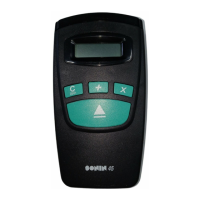
a temperature measurement from your SONIN 60
PRO.)
Altitude/Barometric Pressure - Altitude and
barometric pressure can affect the range and
accuracy of all ultrasonic distance measuring tools.
As the altitude increases (barometric pressure
decreases), the range is reduced. As altitude
decreases (barometric pressure increases), the
range is increased. To correct for altitude (pressure)
effects on accuracy, subtract 0.4% of the measured
distance for each 1000 ft/ - 0.6" Hg (0.3 km/-
15mm Hg) you are above sea level. Add 0.4% of
the measured distance for each 1000 ft/ +0.6"
Hg (0.3km/+15mm Hg) you are below sea level
(sea level = 760mm Hg).
Noise - High frequency noise from machinery,
engines, computers, stereos, TV sets, etc. can affect
the reading and you may get random readings.
Stand away from or shut off this type of equipment
when measuring.
Outdoor Measurements - Your SONIN 60
PRO is designed for indoor use.
ENVIRONMENTAL CONDITIONS
THAT COULD AFFECT PERFORMANCE:
IMPORTANT: Ultrasonic Distance Measuring,
Tools work best for quick and easy measuring and
estimating. They are not intended for precision
work, although they can be very accurate under
optimal conditions.
Humidity - Humidity and temperature can affect
the range and accuracy of all ultrasonic distance
measuring tools. They may give measurements
that are longer or shorter than their specifications
(depending on atmospheric conditions). The range
is longest in high temperature/high humidity and
low temperature/low humidity and range is shortest
in high temperature/low humidity and low
temperature/high humidity.
Humidity effects on accuracy are greatest at high
temperatures and negligible at low temperatures.
At 100°F (38°C) and 99% R.H., the distance
measurement will be short by 0.6%. At 100°F
(38°C) and 0% Relative Humidity, the distance
measurement will be long by 0.6%. At 32°F (0°C)
the distance measurement will essentially not be
affected.
Temperature - Your SONIN 60 PRO has unique
automatic temperature compensation to ensure
consistency of measurements between 32°F and
100°F (0°C to 38°C). The response rate of this
circuitry enables you to move between warm and
cold areas and measure with reasonable accuracy.
However, we recommend that you do not leave
your SONIN unit in very cold or very hot conditions
(e.g. sunlight in a car), as the unit will then require
more time to adjust to air temperature.
As long as the internal temperature is equal to the
air temperature, accuracy is unaffected. Wait for
- 13 -
SPECIFICATIONS:
Range:
Min: 1.5 ft (0.46 m)
Max: 60 ft (18.2 m)
Actual: Will vary depending on environmental
conditions.
Accuracy:
99.5% ±1/4 in (or 99.5% ±1 cm)
When environmental conditions are as follows:
Temperature: 32 to 86°F (0 to 30°C)
Relative Humidity: 30 to 70%
Altitude: -328 to +328 ft (-0.1 to +0.1 km)
Wind Speed: Still Air
Example:
At 15 ft (4.57 m) your reading will be within
1 1/4 ins (3 cm). And at 60 ft (18.2 m) your
reading will be within 3 3/4 inches (10 cm).
Resolution:
1/4 in (0.01 ft, 0.01 m or 0.01 yd)
Ultrasonic Frequency:
40 kHz
Battery:
9 volt (alkaline recommended)
Current Consumption:
8 - 13 mA (Approximately 50 hours continuous
use with a new 9 volt alkaline battery)
Operating Temperature:
32 to 100°F (0 to 38°C)
Auto Shut-off:
Approximately 7 minutes after last key press.
Size:
5 7/8 x 2 7/8 x 1 3/4 ins
(147 x 75 x 45 mm)
Weight:
6.2 oz (175 g) without battery
- 12 -
TEMPERATURE COMPENSATION:
Because temperature affects the speed of sound,
the SONIN 60 PRO has automatic temperature
compensation for greater accuracy. In order to
make the most of this feature, wait 1 minute for
each 1°F (2 minutes for each 1°C) of temperature
difference between cool and warm locations.
DISPLAYING TEMPERATURE TO IMPROVE
ACCURACY: Since temperature affects accuracy,
the SONIN 60 PRO is most accurate when its
internal temperature matches the air temperature.
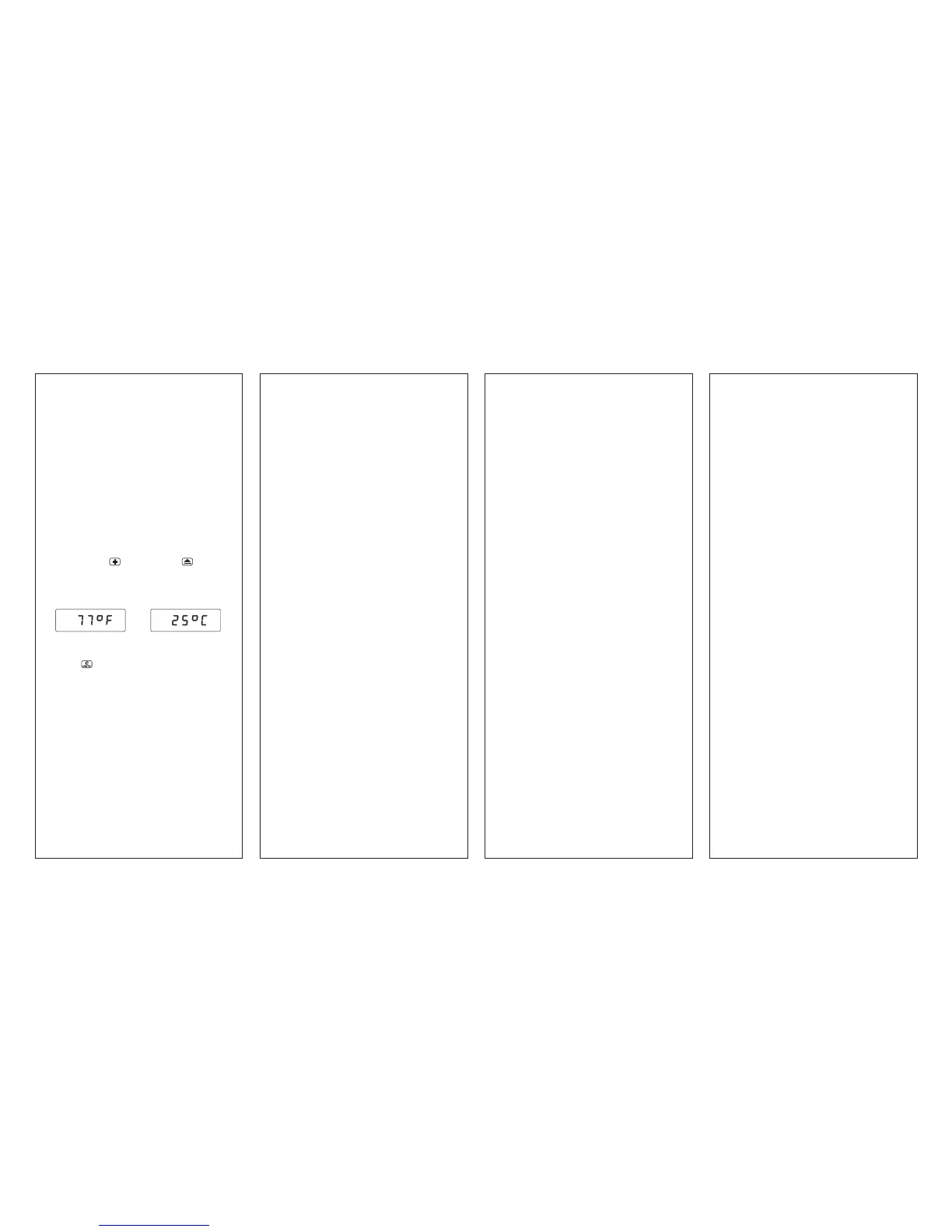
To display temperature:
press and hold
key, then press key, the
internal temperature will appear on the display
immediately (in °C when m display units are selected
or in °F if selected display units are ft:in, ft:ft, yds).
To go back to measurement mode, press and
release key or press the measure key directly.
HINT: To speed equalization of the SONIN 60
PROs internal temperature versus air tempera-
ture, wave the unit back and forth in the air to
circulate room temperature air through the unit.
For additional information, see "Temperature" in
the section on Environmental Conditions.
LOW BATTERY INDICATOR:
Replace the battery when the BATT symbol appears
on the LCD.
or



 To Next Page
 Loading...