2
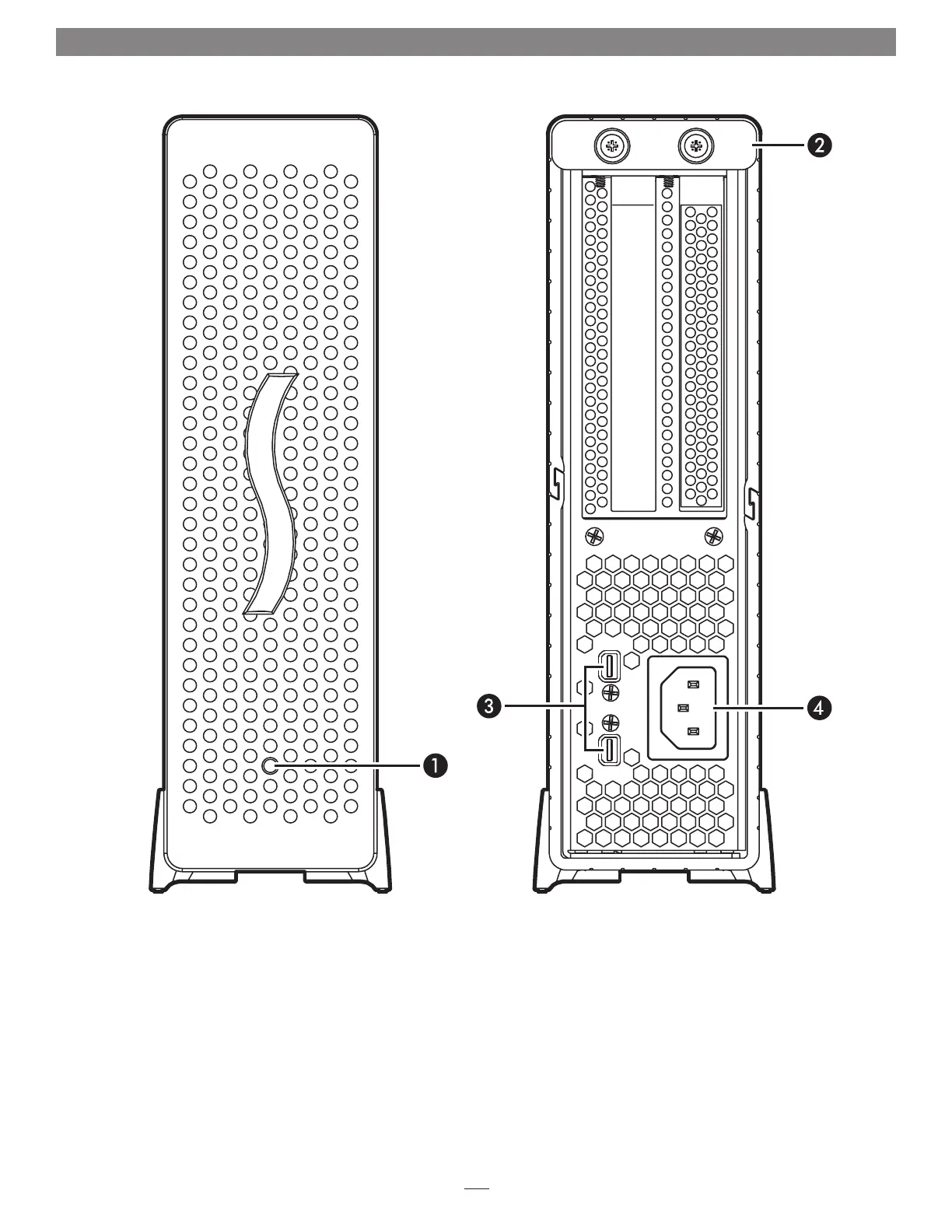
1 – Power Indicator LED
This indicator lights when the Echo Express is powered, the
Thunderbolt cable between Echo Express and your computer
is plugged in securely, and the computer powered on
2 – Locking Plate
This plate secures the top cover in place. Loosen the retained
thumbscrews to remove the plate and enable removing the
top cover
3 – Thunderbolt Ports
Connect a Thunderbolt cable between either port and your
computer’s Thunderbolt port; the other may be used to
connect another Thunderbolt device
4 – Power Input Socket
Connect the included AC power cable here
Chapter 2 – Echo Express Chassis’ Description


 To Next Page