A – PCIe Cards Installation Steps (continued)
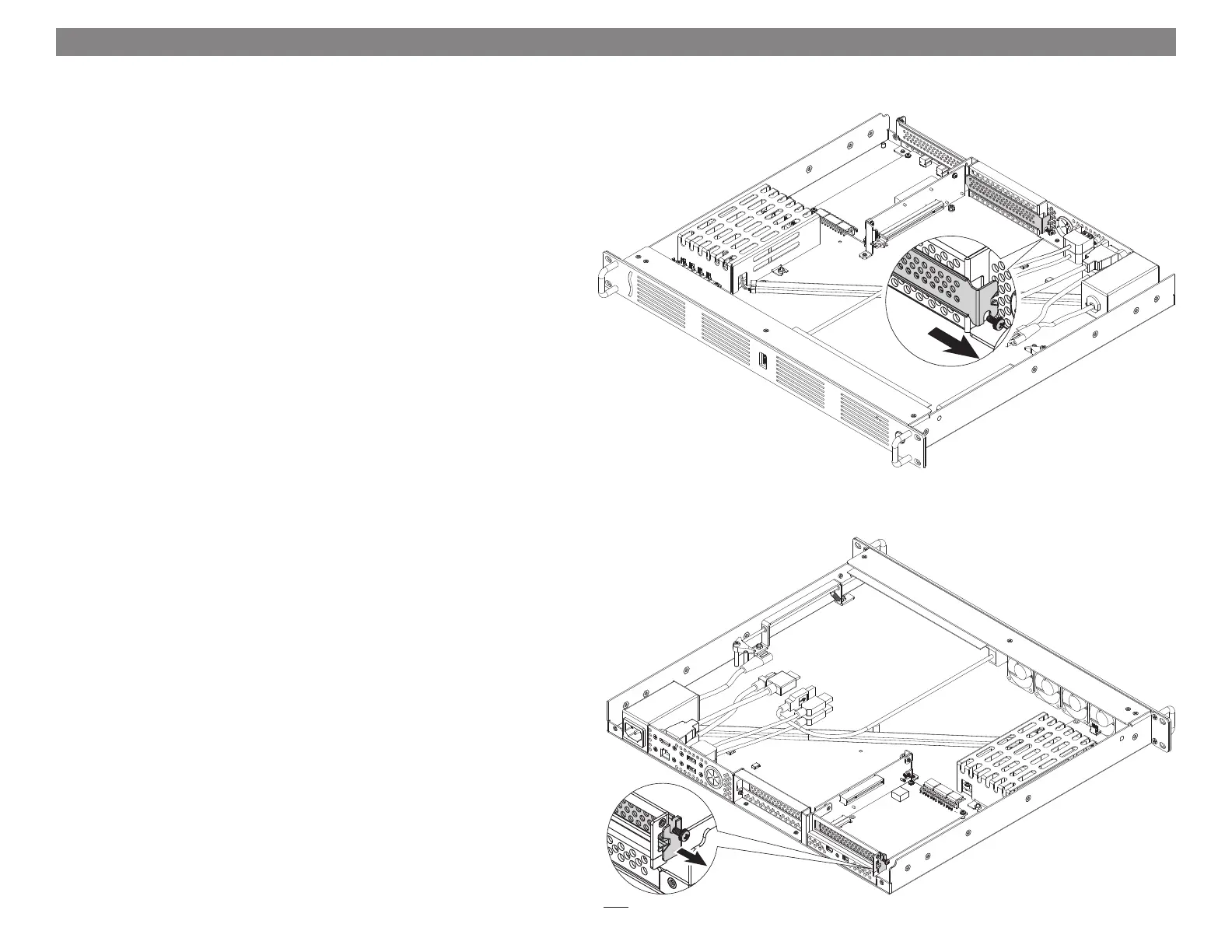
5. If you are installing a card into PCIe Slot 1, remove and set aside
the screw securing its port access cover, and then remove the cover
(Figure 3).
6. If you are installing a card into PCIe Slot 2, remove and set aside
the screw securing its port access cover, and then remove the cover
(Figure 4).
Chapter 3 – PCIe Cards, Computer, and xMac mini Server 2H Installation Steps
Figure 3
Figure 4
5


 To Next Page