
 Need help?
Do you have a question about the Sonnet xMac and is the answer not in the manual?
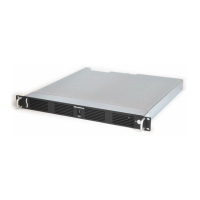
Overview of the xMac mini Server 2H as a PCIe expansion system and rackmount enclosure for Mac minis.
Details the items included in the package with the xMac mini Server 2H.
Describes the ports and features on the front and rear panels of the xMac mini Server 2H, including USB, Thunderbolt, and Ethernet.
Details the internal components and PCIe slots within the xMac mini Server 2H enclosure.
Step-by-step guide for installing PCIe cards into the xMac mini Server 2H, including safety precautions.
Instructions for carefully installing the Mac mini computer into the xMac mini Server 2H enclosure.
Information on how to mount the xMac mini Server 2H into a standard 19-inch equipment rack.
How to check if the xMac mini Server 2H is recognized by the Mac mini using System Information.
Confirms if PCIe cards are recognized and have compatible drivers via System Information.
Provides advice on cooling, connecting Thunderbolt devices, and PCIe card fitting.
Highlights limitations like PCIe bandwidth, software compatibility, and Thunderbolt chain performance.
Lists technical specifications including connectors, power, dimensions, and weight.
Outlines essential safety guidelines and warnings for operating the device.
States the FCC compliance information and operational conditions.
Provides contact details for customer service and online support resources.
 General
| Category | Server |
|---|---|
| Form Factor | 1U Rackmount |
| Power Supply | 150W |
| External Connectors | Ethernet |
| Networking | RJ45 Gigabit Ethernet port |

 To Next Page