Shenzhen Sonoff Technologies Co., Ltd.
Temperature control mode
English
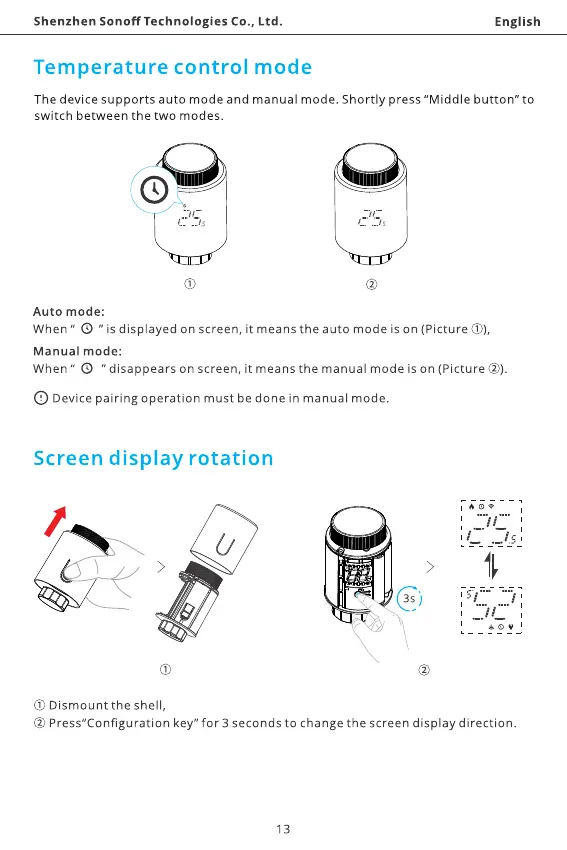
The device supports auto mode and manual mode. Shortly press "Middle button" to
switch between the two modes.
Auto mode:
When" @ "is displayed on screen, it means the auto mode is on (Picture O),
Manual mode:
When" @ "disappears on screen, it means the manual mode is on (Picture
O Devicepairing operation must be done in manual mode.
Screen display rotation
O) Dismount the shell,
@ Press"Configuration key" for 3 seconds to change the screen display direction.
13



 To Next Page