Shenzhen Sonoff Technologies Co., Ltd.
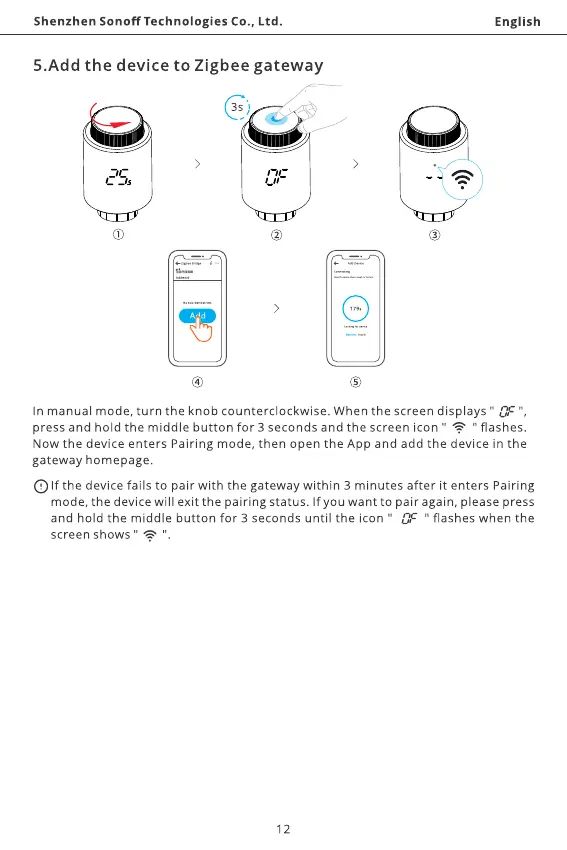
5.Add the device to Zigbee gateway
3s)
English
9
In manual mode, turn the knob counterclockwise. When the screen displays " OF'
press and hold the middle button for 3 seconds and the screen icon
" @ " flashes.
Now the device enters Pairing mode, then open the App and add the device in the
gateway homepage.
Olf the devicefails to pair with the gateway within 3 minutes after it enters Pairing
mode, the device will exit the pairing status. If you want to pair again, please press
and hold the middle button for 3 seconds until the icon " " flashes when the
screen shows "
12



 To Next Page