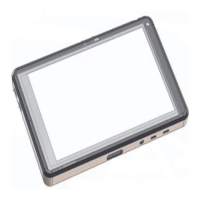
Quick Reference Guide
SonoSite iViz Ultrasound System
Quick Reference Guide
SonoSite iViz Ultrasound System
Scanning
Sharing a study
1 From the Patient module, tap the iViz Studies tab.
2 Tap Study. This exports the reports, images and clips within a study.
3 Tap .
4 Tap one or more of the following check boxes:
Local PACS - Use this option to send a study through DICOM. If you select
this option, you will be asked to choose a server from the list.
Tricefy - Use the Tricefy medical image-sharing tool to share a study,
image, or clip. To use this option, you must have an active Tricefy account.
USB - Use this option to save the study to the USB drive inserted in the
system.
5 Tap Next. Depending on the option you choose, complete the remaining
information on the right side of the screen (for example, the local PACS
server).
6 Tap Share.
Creating or updating a patient study
1 To open the Patient module:
From the Home screen tap Patient.
During an exam, tap the Patient field at the top of the screen.
2 Do one of the following:
To update a patient study, locate and open the study you want to
change.
In an open patient study, in the Patient module, tap New Study.
3 Enter or change the patient information.
4 Tap Save.
Measuring
Measuring distance
1 On a frozen scan, tap Measurements.
2 Under the General measurements area, tap Distance.
3 Drag the active caliper to the first point, then drag the other caliper to the
second point.
4 As needed, tap and drag each caliper until it is precisely positioned.
Measuring an ellipse
1 On a frozen scan, tap Measurements.
2 Under the General measurements area, tap Ellipse.
3 Drag the caliper to the boundary of the feature you want to measure. When
you lift your finger, a dashed circle appears, and the ellipse is anchored at
that point.
4 Drag the second caliper along the horizontal axis to align it to the rest of the
feature you are measuring.
5 Tap the height caliper to make it active.
6 Drag the height caliper to the height of the feature you want to measure. The
diameter, area, and circumference measurements appear in the
Measurements box.
Page 7 of 10
P22705-01
Page 8 of 10
P22705-01


 To Next Page
 Loading...