EasyManua.ls Logo

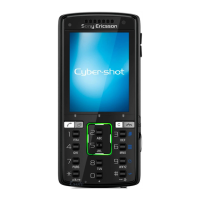
Sony Ericsson K850i - User Manual

Sony Ericsson K850i
83 pages
Print Icon
To Next Page IconTo Next Page
Loading...
Congratulations on your purchase of the Sony Ericsson
K850i. Capture and share quality moments. For additional
phone content, go to www.sonyericsson.com/fun.
Register now to get a suite of tools, free online storage,
special offers, news and competitions at
www.sonyericsson.com/myphone.
For product support, go to www.sonyericsson.com/support.
This is the Internet version of the User's guide. © Print only for private use.

Table of Contents

Other manuals for Sony Ericsson K850i

Questions and Answers

  • B
    Breanna ParkerAug 20, 2025
    Why no battery icon appears when charging my Sony Ericsson K850i Cell Phone?
    • S
      smithryanAug 20, 2025
      If no battery icon appears when you start charging your Sony Ericsson Cell Phone, it may take a few minutes before the battery icon appears on the screen.
  • J
    Jean LongAug 22, 2025
    Why my Sony Ericsson Cell Phone is not charging?
    • M
      Monica WolfeAug 22, 2025
      If your Sony Ericsson cell phone isn't charging or the battery drains quickly, it might be due to a poor connection or a worn-out battery. Try removing the battery and cleaning the connectors. If the battery is old, it may need replacement; refer to the 'Charging the battery' section for further assistance.
  • G
    gjonesAug 25, 2025
    How to fix slow performance on Sony Ericsson Cell Phone?
    • O
      omejiaAug 25, 2025
      To address memory issues or slow performance on your Sony Ericsson Cell Phone, restart your phone daily to free up memory or perform a Master reset.
  • H
    Hannah WilliamsAug 26, 2025
    Why I cannot use the Internet on my Sony Ericsson K850i?
    • W
      William CarlsonAug 26, 2025
      If you can't access the internet on your Sony Ericsson Cell Phone, it could be due to your subscription not including data capability or incorrect internet settings. Please contact your network operator to resolve this issue.
  • N
    Nicholas BeltranAug 28, 2025
    What to do if my Sony Ericsson Cell Phone says 'Insert SIM'?
    • T
      Tracy DiazAug 28, 2025
      If your Sony Ericsson Cell Phone displays 'Insert SIM', it means there's either no SIM card in your phone or it's been inserted incorrectly. Ensure the SIM card is properly placed.
  • M
    moralessaraAug 29, 2025
    Why is my Sony Ericsson K850i not receiving network signal?
    • C
      Claire WatkinsAug 30, 2025
      If your Sony Ericsson Cell Phone isn't getting a network signal or the signal is weak, the SIM card might be faulty. Try inserting your SIM card into another phone to check if it works.
  • R
    Ryan ParkAug 31, 2025
    What to do if I cannot use messages on my Sony Ericsson K850i Cell Phone?
    • A
      awatkinsSep 1, 2025
      If you cannot use messages on your Sony Ericsson Cell Phone, the settings are either missing or incorrect. Please contact your network operator.
  • D
    Destiny DuncanSep 2, 2025
    What to do if my Sony Ericsson K850i says 'Wrong PIN'?
    • J
      Jason BrownSep 2, 2025
      If your Sony Ericsson Cell Phone shows 'Wrong PIN/Wrong PIN2', enter the correct PIN or PIN2 and select Yes.
  • V
    Vincent HendrixSep 4, 2025
    How to make my Sony Ericsson K850i Cell Phone discoverable via Bluetooth?
    • C
      clarkhannahSep 4, 2025
      If your Sony Ericsson Cell Phone cannot be detected by other devices using Bluetooth, make sure that the visibility is set to show phone.
  • T
    Taylor PerezSep 6, 2025
    Why does my Sony Ericsson K850i Cell Phone say 'No netw. coverage'?
    • D
      Dr. Catherine IngramSep 6, 2025
      If your Sony Ericsson Cell Phone displays 'No netw. coverage', it means your phone is in flight mode. Disable flight mode to restore network coverage.

Summary

Getting started

Assembly

Instructions for inserting SIM card and battery to prepare the phone.

Turning on the phone

Steps to power on the device and initial setup wizard.

Navigation

How to navigate menus using keys and touch options.

Calling

Making and receiving calls

Procedures for initiating, answering, and ending phone calls.

Contacts

Adding, saving, editing, and managing contact information.

Voice control

Using voice commands for dialling and call management.

Messaging

Text messages

Sending, receiving, and managing SMS messages.

Picture messages

Sending and receiving MMS messages with text, pictures, etc.

Email

Setting up and using email accounts on the phone.

Connectivity

Using the Internet

Accessing online services, browsing web pages, and bookmarks.

Bluetooth wireless technology

Connecting to other devices wirelessly via Bluetooth.

Using the USB cable

Connecting to a computer for data transfer and phone mode.

Troubleshooting

Common questions

Solutions for frequent issues like slow performance or low battery.

Error messages

Explanations and troubleshooting steps for various error messages.

Important information

Guidelines for Safe and Efficient Use

Safety precautions for using the phone, battery, and charger.

Battery

Proper handling, charging, and replacement of the mobile phone battery.

Radio frequency (RF) exposure and Specific Absorption Rate (SAR)

Information on RF exposure levels and compliance with safety standards.

Sony Ericsson K850i Specifications

General IconGeneral
Display TypeTFT, 256K colors
Resolution240 x 320 pixels (~182 ppi pixel density)
Main Camera5 MP, autofocus, xenon flash
Front CameraNo
Dimensions102 x 48 x 17 mm (4.02 x 1.89 x 0.67 in)
Weight118 g (4.16 oz)
Internal Storage40 MB
Announced2007, June
StatusDiscontinued
SIMMini-SIM
NetworkGSM / HSPA
VideoQVGA@30fps
Alert typesVibration; Downloadable polyphonic, MP3, AAC ringtones
LoudspeakerYes
3.5mm jackNo
WLANNo
Bluetooth2.0, A2DP
GPSNo
USB2.0
BrowserWAP 2.0/xHTML, HTML(NetFront)
GamesYes + downloadable
JavaYes, MIDP 2.0
Stand-byUp to 400 h (2G) / Up to 350 h (3G)
Talk timeUp to 9 h (2G) / Up to 3 h 30 min (3G)
Display Size2.2 inches
BatteryRemovable Li-Po 930 mAh battery
Card SlotMemory Stick Micro (M2)
RadioFM radio, RDS
MessagingSMS, MMS, Email
ColorsLuminous Green, Velvet Blue

Related product manuals