Taking photos and recording videos
Take a photo or record a video with the camera in your phone. You can hold the camera
horizontally or vertically. Use the front camera to take self-portraits. All photos and videos
are saved automatically on the memory card. Share a photo or a video with friends, or
upload your photos and videos to a web service. Your camera is equipped with the highly
sensitive Exmor R sensor, which enables sharp photos and videos, even in low lighting
conditions.
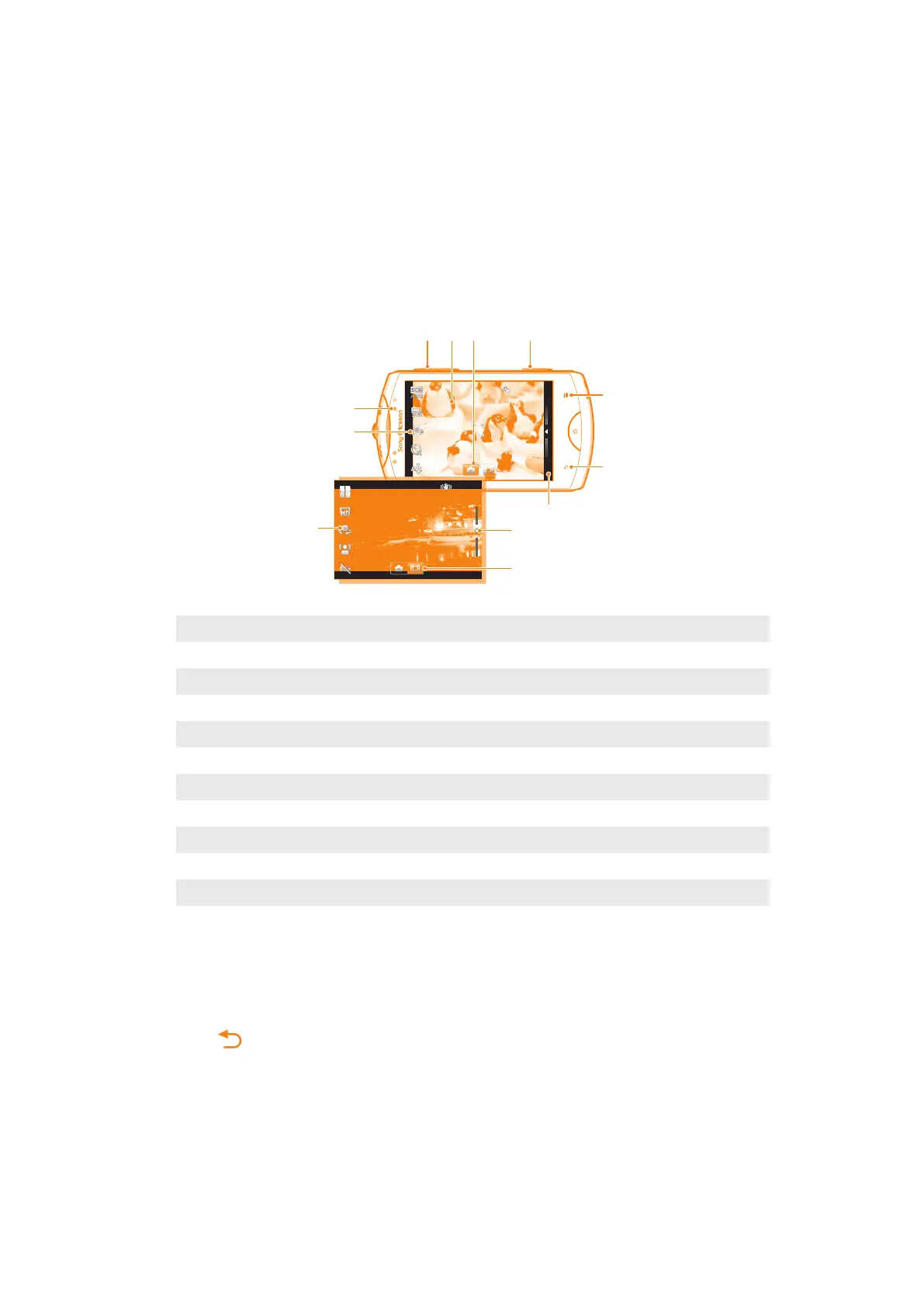
Camera controls
1 Camera key. Activate the camera/Take photos/Record videos
2 Display all settings
3 Go back a step or exit the camera
4 View photos and videos (still camera)
5 View photos and videos (video camera)
6 Activate the video function
7 Settings bar (video camera)
8 Settings bar (still camera)
9 Front camera
10 Zoom in or out
11 Main camera screen
12 Activate the still camera function
To activate the camera
•
Press and hold down the camera key.
To close the camera
•
Press from the main camera screen.
85
This is an Internet version of this publication. © Print only for private use.














 To Next Page